
Description
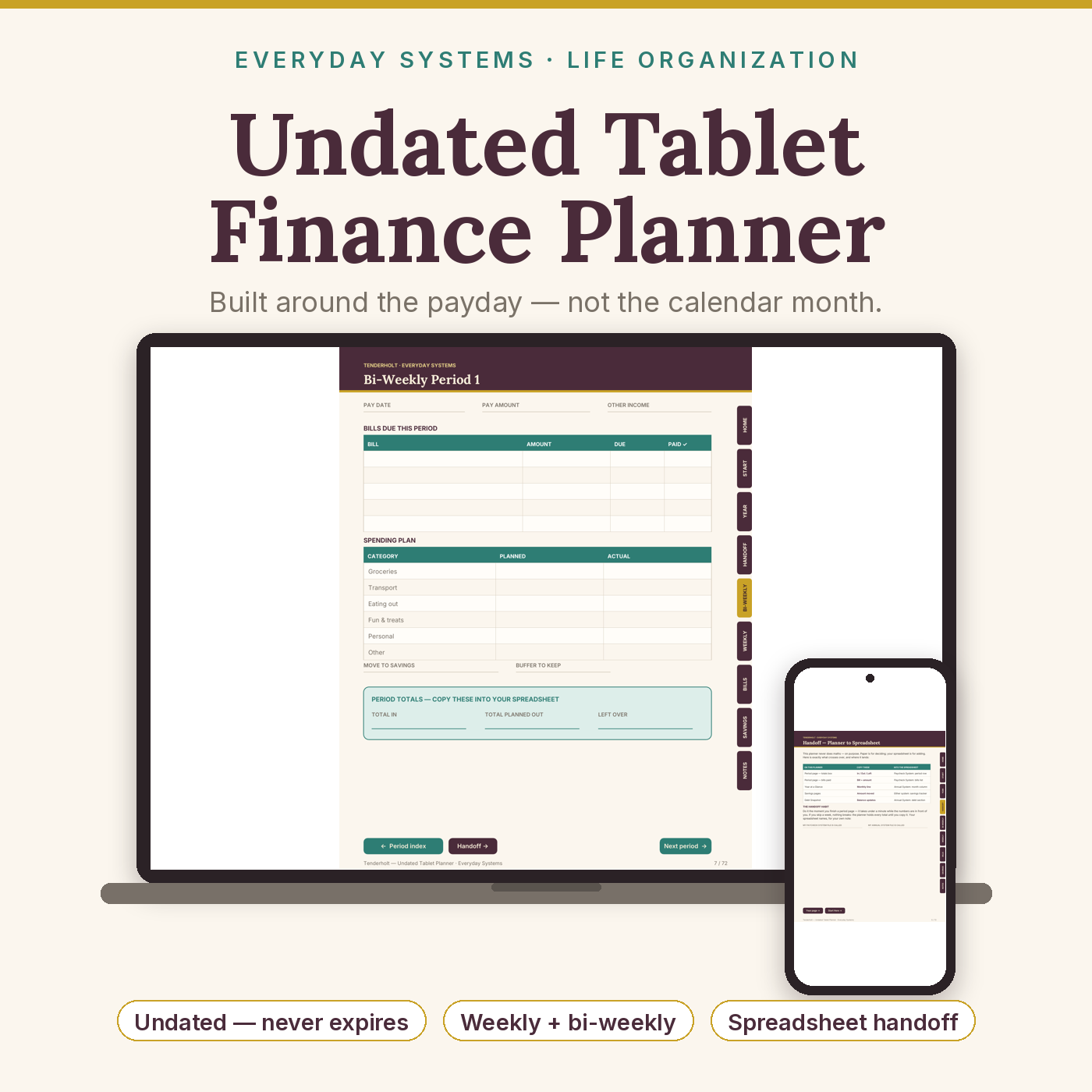
Undated Tablet Finance Planner for Goodnotes, OneNote & reMarkable — Hyperlinked Payday Budget Planner with Weekly & Bi-Weekly Pay Period Pages, Bill Tracker, Savings Goals & Spreadsheet Handoff | Works with Paycheck & Annual Budget Systems
What’s Included (your download)
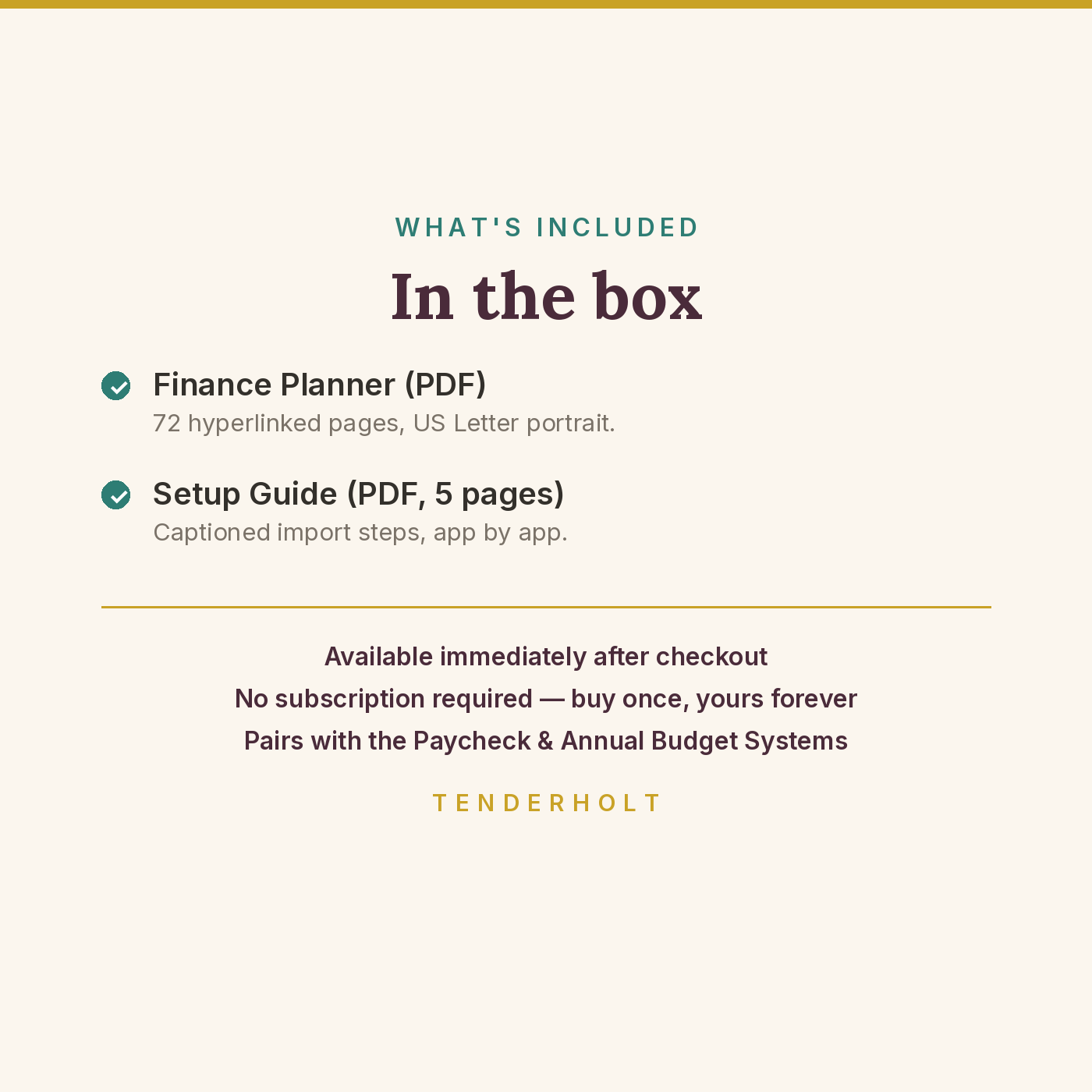
- Undated-Tablet-Finance-Planner.pdf (72 pp)
- Finance-Planner-Setup-Guide.pdf (5 pp)
Product Details
Overview
A paper-style finance planner for your tablet, built around the payday — not the calendar month. It holds a full year of bi-weekly period pages and a half-year of weekly ones, plus bills, savings and debt pages, and it is deliberately calculation-free: you plan in pen here, then hand three totals per period to your Tenderholt budget spreadsheet, which does the adding. Undated throughout, so it fits any pay calendar in any year — where rival tablet finance planners are dated to a single year and split into per-orientation, per-pay-frequency slices.
What’s Included
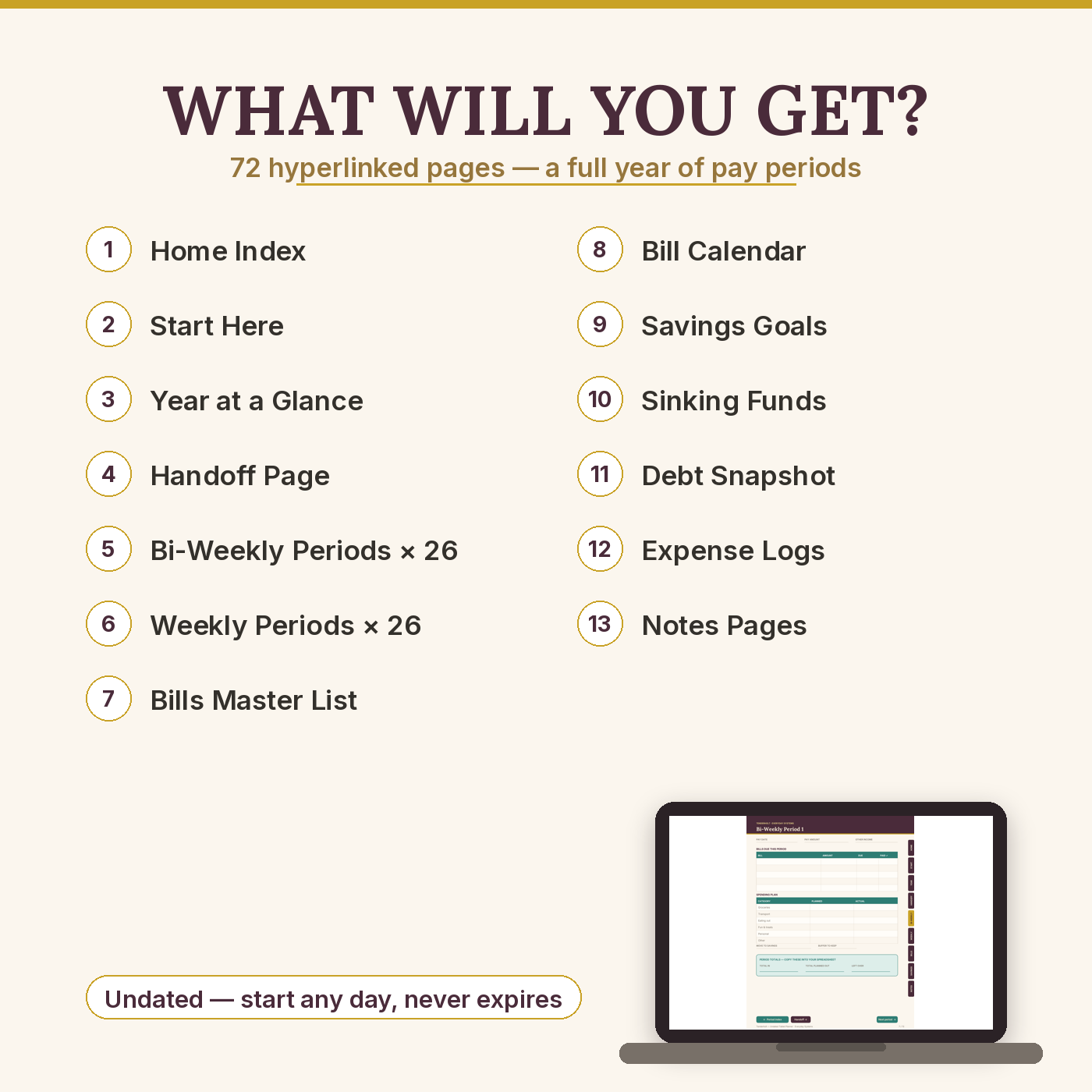
- Undated-Tablet-Finance-Planner.pdf — 72 hyperlinked pages, US Letter portrait
- Finance-Planner-Setup-Guide.pdf — 5-page captioned setup guide: import for Goodnotes, OneNote (Windows and Mac) and reMarkable, duplication, troubleshooting, and the spreadsheet pairing explained
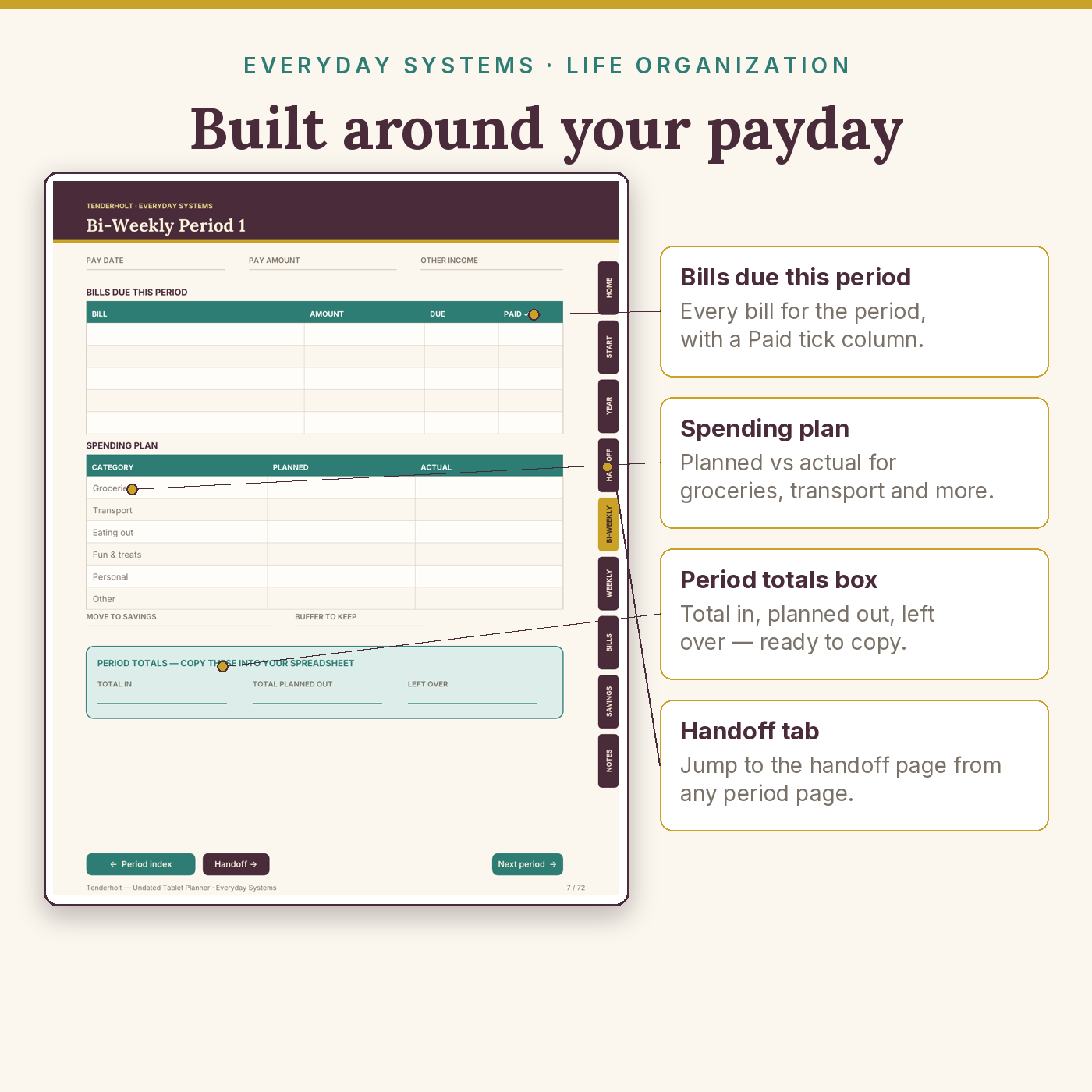
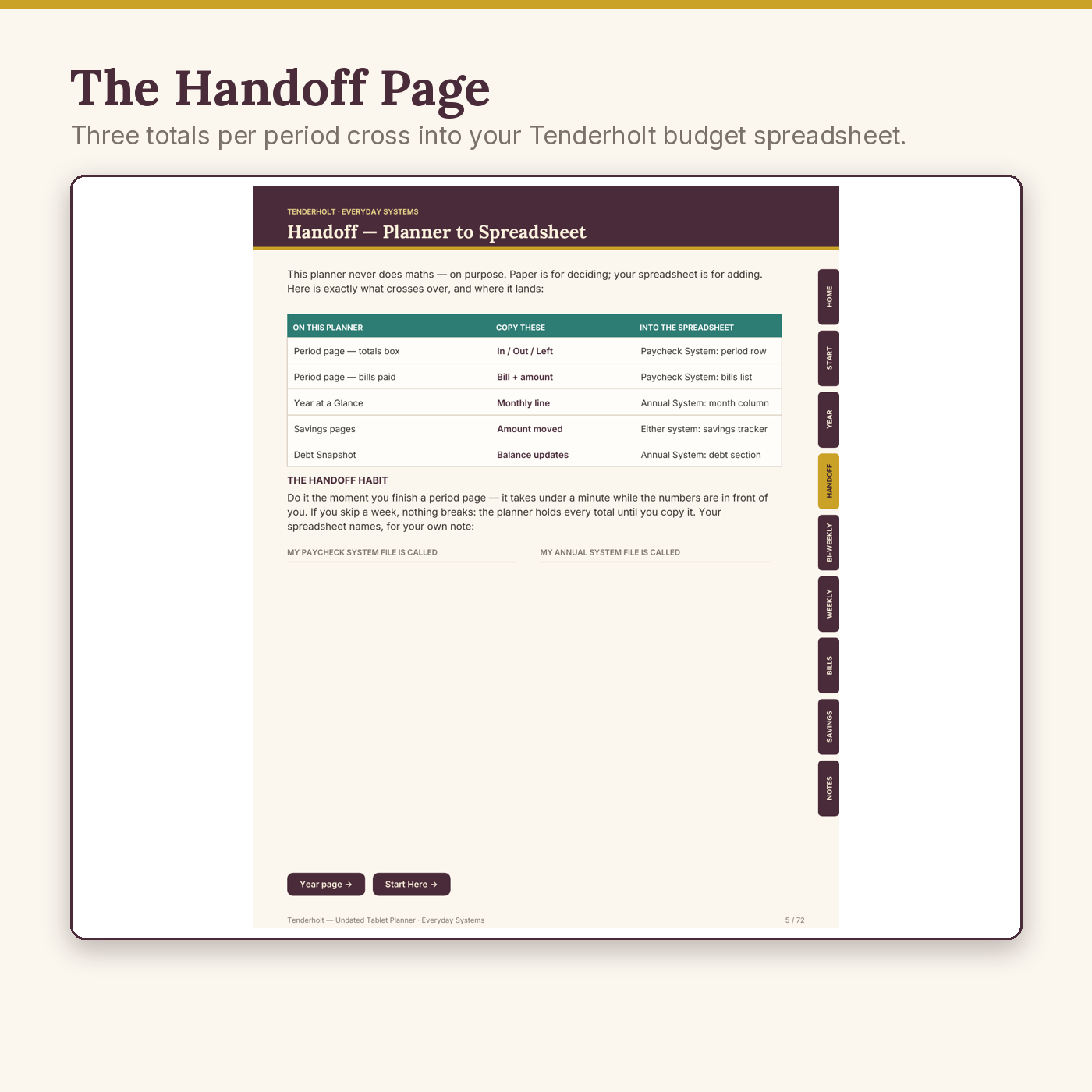
- Page map: Home index · Start Here (the system in 5 steps) · Year at a Glance · the Handoff page (exactly which totals go into which spreadsheet) · 26 bi-weekly period pages, each with pay header, bills-due table, spending plan and a totals box · 26 weekly period pages · Bills Master List (2 pages, 26 bills) · Bill Calendar year view · Savings Goals (4 visual trackers) · Sinking Funds · Debt Snapshot · 3 Expense Logs (60 rows) · 4 Notes pages
- 873 working tap links — edge tabs, period prev/next chains, index jumps — every link machine-tested before release
Key Benefits
- Plans around your payday — weekly and bi-weekly rhythms in one file; monthly-only planners can’t do this
- The 1-minute handoff — each period ends in three totals that copy straight into your budget spreadsheet (the Handoff page maps every number)
- Undated — miss a month and nothing expires; the next blank page is the restart
- One purchase for Goodnotes, OneNote and reMarkable — direct files, no Drive link, no ZIP maze
Who Is This For?
- Anyone paid weekly or every two weeks who budgets period by period
- Tenderholt Paycheck Budget System / Annual Budget System owners who want to plan on paper first
- Tablet owners (Goodnotes / OneNote / reMarkable) who prefer pen planning to another app subscription
How It Works
- Download the two PDFs; import with the setup guide (2 minutes per app).
- Fill the master pages once: bills, savings goals, debts.
- Each payday, open the next blank period page, plan it in pen, then copy the three totals into your spreadsheet — under a minute, mapped on the Handoff page.
Why It’s Different
Tablet finance planners are usually pretty monthly grids that can’t total a thing and expire in December. This one is built the other way round: the period is the unit, the totals are designed to leave the planner — straight into a calculating spreadsheet, ours if you have it (Paycheck / Annual Budget Systems), with the mapping printed inside the product. It also never expires, covers both pay rhythms and all three major tablet apps in one purchase, and every one of its 873 links was machine-verified before release.
Delivery & Compatibility
Instant download of 2 PDFs (planner approx. 0.4 MB). Goodnotes 5/6: full tap-link navigation. reMarkable: full tap-link navigation, designed to read clearly in greyscale. OneNote (Windows & Mac): OneNote converts inserted PDF pages into pictures — true of every PDF in OneNote, from any seller — so pages arrive in order to write on and navigation is via OneNote’s page list; the setup guide gives the Windows printout setting and the short Mac path. US Letter pages print cleanly. The Handoff page references the Tenderholt Paycheck Budget System and Annual Budget System spreadsheets (sold separately); the planner is fully usable without them.
Disclaimer
This is a budgeting and organisation tool for personal planning. It is educational, not financial or tax advice, and it does not connect to any bank or account. Figures you write and copy are your own records. App names are trademarks of their owners; no affiliation or endorsement is implied. Inside OneNote, tap-link navigation is unavailable because OneNote renders PDF pages as images — stated here and in the guide so you can choose with full information.
Reviews
There are no reviews yet.