
Description
Paycheck Budget System — Paycheck Budget Spreadsheet & Budget by Paycheck Planner for Google Sheets & Excel | Biweekly Budget Planner, Bill Paycheck Tracker, Sinking Funds & Safe-to-Spend Calculator
What’s Included (your download)
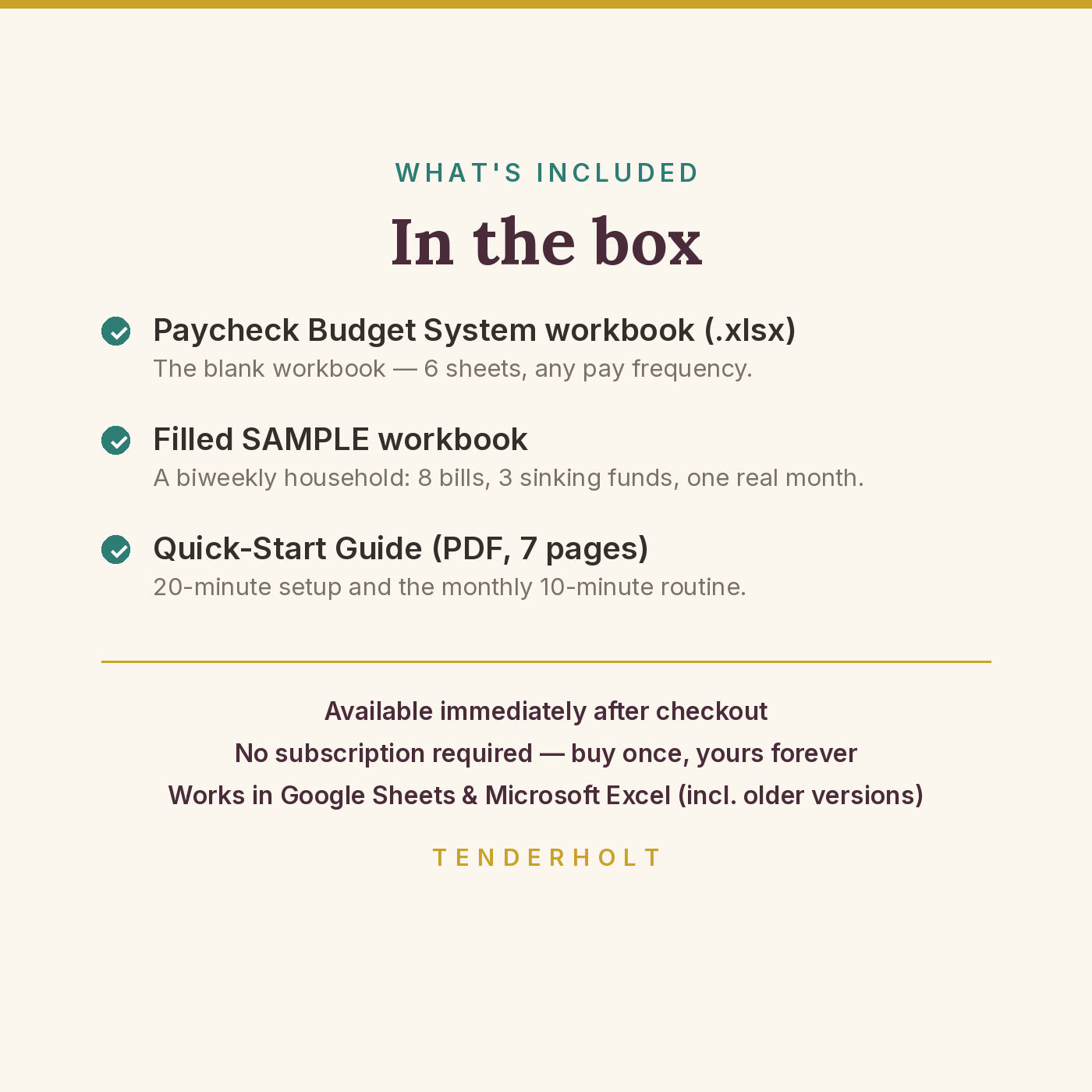
- Paycheck Budget System workbook (.xlsx — 6 sheets)
- Pre-filled SAMPLE workbook (.xlsx) — a realistic biweekly household ($2,150/check, 8 bills including rent split across two checks, 3 sinking funds, a month of spending)
- Quick-Start Guide (PDF, 7 pages)
Product Details
Overview
Rent is due on the 1st, but your paydays land on the 4th, the 18th, the 2nd, the 16th — a different pattern every single month. That’s why the money “disappears” between paychecks, why a bill can be in the budget and still bounce, and why the same salary feels fine one week and impossible the next. The Paycheck Budget System generates your next 26 paychecks automatically from your first payday and pay frequency, and its Bill-to-Paycheck Matcher assigns every bill to the paycheck that lands just before its due date — so the money is already waiting when the bill arrives.
What’s Included
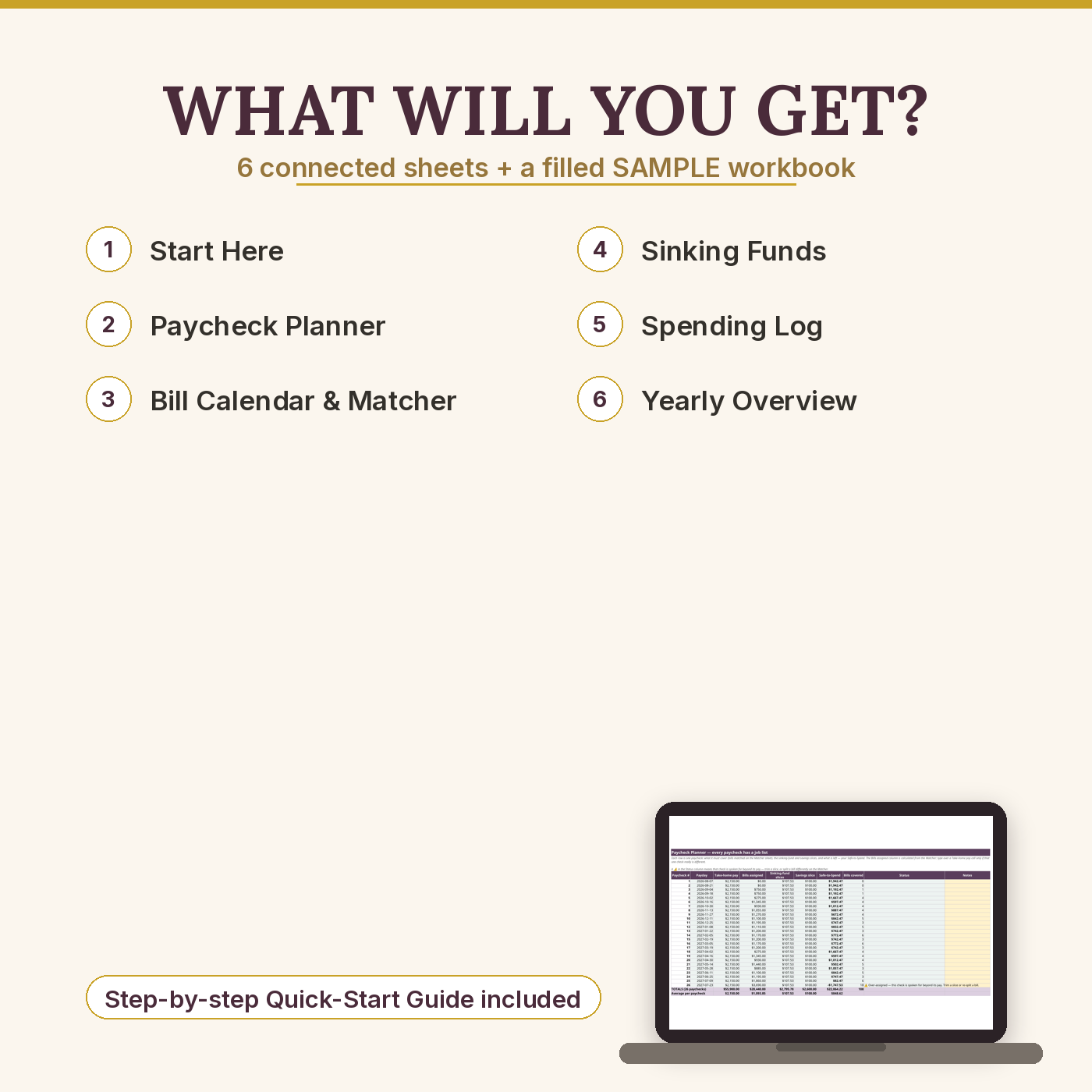
- START HERE — 4 setup cells (frequency, first payday, take-home pay, savings slice), the method in 60 seconds, colour legend, sheet directory
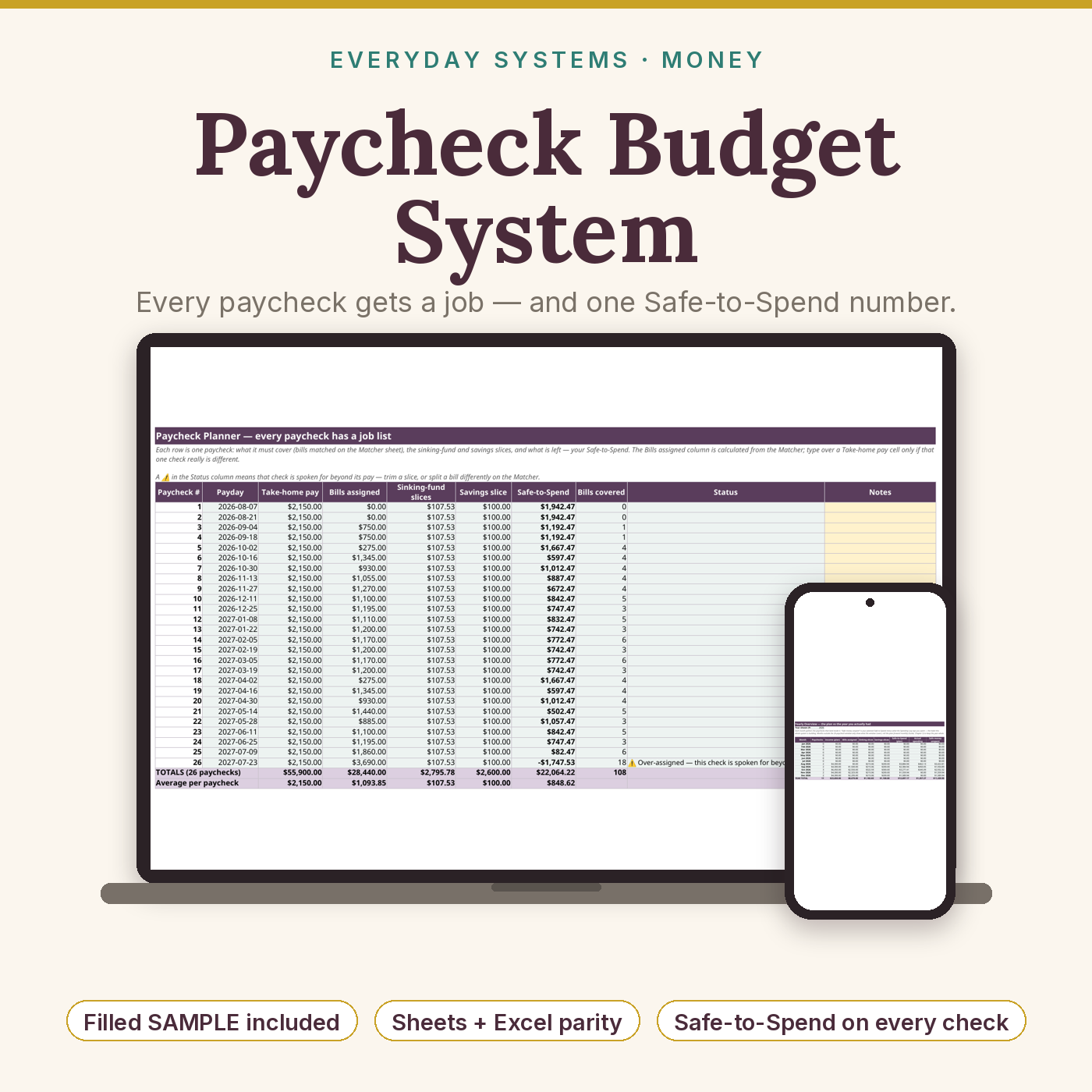
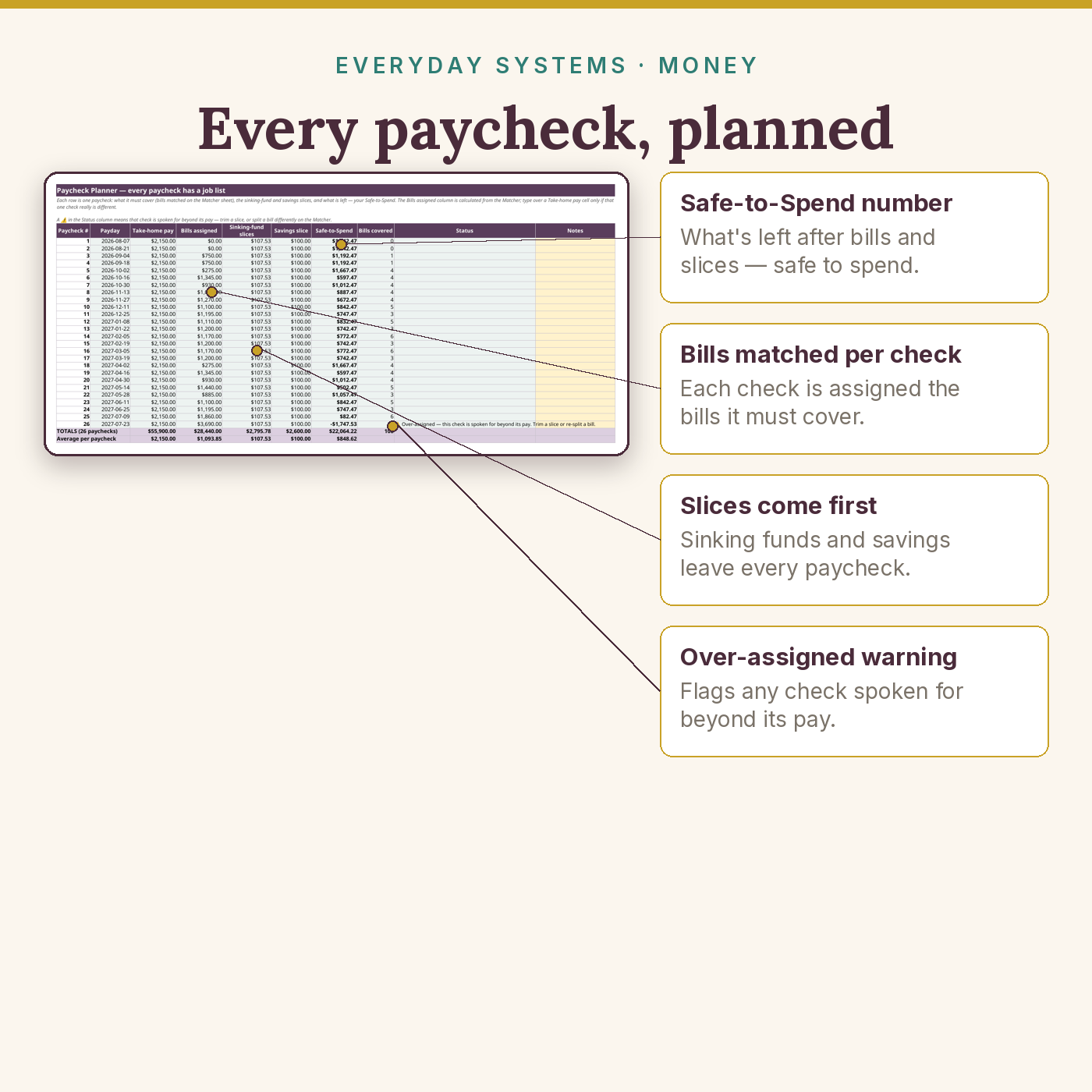
- Paycheck Planner — 26 paychecks, each with its job list and Safe-to-Spend, all formula-driven; weekly, every 2 weeks, twice a month, or monthly pay
- Bill Calendar & Matcher — up to 16 bills, next 12 due dates each, the covering-paycheck engine (logic documented on the sheet itself), split support for big bills across 2–4 paychecks, due-day clamping (the 31st becomes Feb 28 automatically)
- Sinking Funds — 8 funds with per-paycheck slice formulas (still-needed ÷ paychecks left, recalculated live) + a 40-row Contributions Log
- Spending Log — 150 rows, 10 category dropdowns, automatic per-category totals
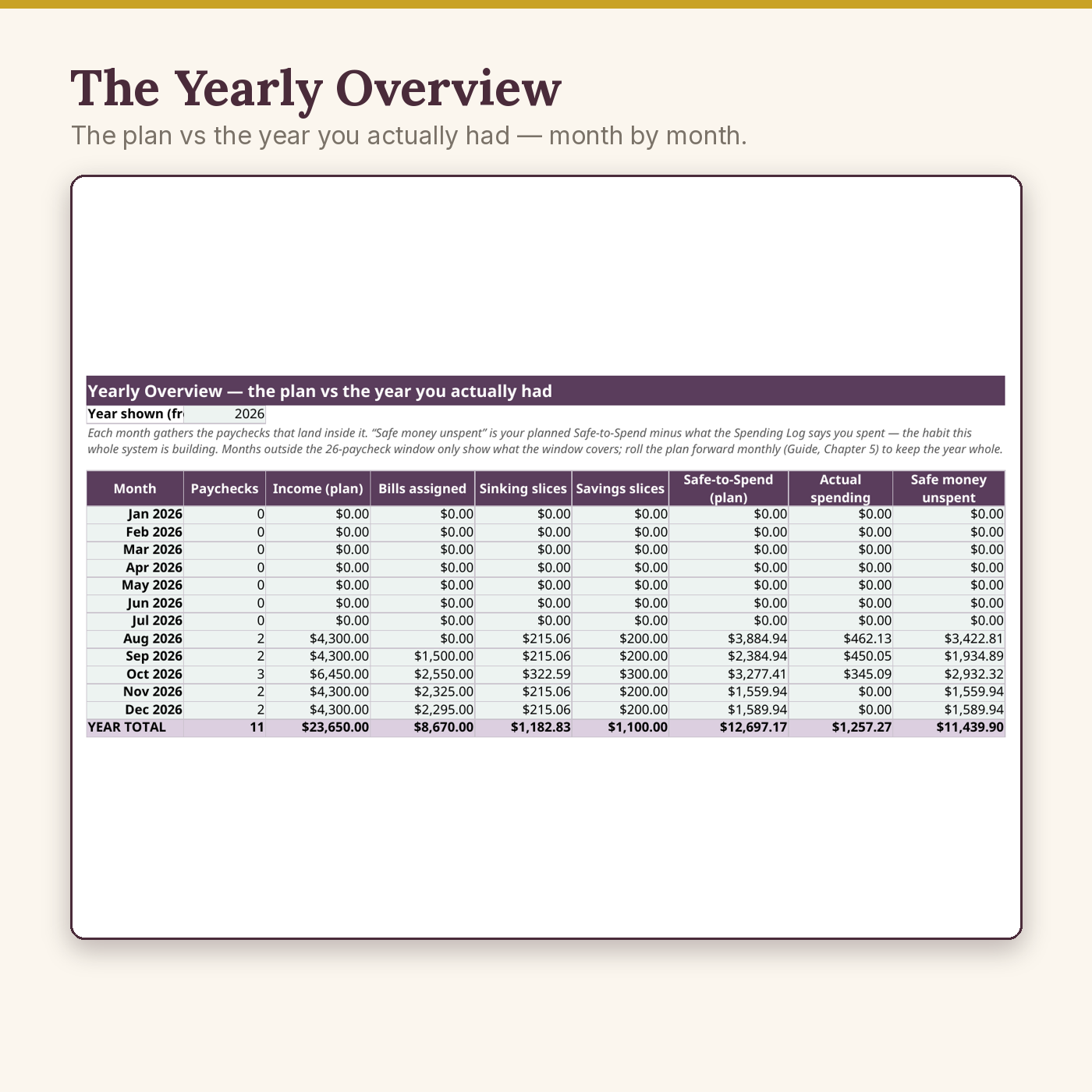
- Yearly Overview — monthly rollups: income, bills, slices, savings, planned vs actual spending — it even shows the two “gift” three-paycheck months biweekly earners get, months before they arrive
- Plus the 7-page Quick-Start Guide (PDF) — 20-minute setup, the Matcher explained with the sample’s real numbers, the monthly 10-minute routine, the bad-month protocol, troubleshooting
Key Benefits
- Budget by paycheck, not by month — the cadence buyers of monthly templates keep asking for
- A Safe-to-Spend number on every paycheck: guilt-free spending money, because everything important is already spoken for
- Early warnings, not surprises — a bill due before your first payday, a fund whose date has arrived, an over-assigned paycheck: flagged while they’re still cheap to fix
- Light on purpose: about 35 KB — it opens instantly and recalculates in a blink, on old laptops included
Who Is This For?
- Employees paid weekly or every two weeks whose bills land on fixed calendar dates
- Anyone whose “monthly budget” keeps collapsing by the second week
- Semimonthly (1st & 15th) and monthly earners who want per-paycheck clarity too
- Households who want sinking funds without a separate app or subscription
- Not for: anyone wanting automatic bank imports (this is a spreadsheet you own outright), or businesses invoicing clients (see the Bookkeeping Bundle)
How It Works
- Download your files as soon as your payment is confirmed — they are also saved in your account’s Downloads library.
- Open the SAMPLE to watch the Matcher and Safe-to-Spend working on a real household before you enter a number.
- Set 4 cells on START HERE (frequency, first payday, take-home pay, savings slice) and enter each bill once — amount and due date.
- Each payday, check your job list and your Safe-to-Spend; vary a check’s amount on its own row when hours vary, and that check’s plan adjusts alone.
Why It’s Different
Monthly templates from spreadsheet shops keep failing weekly-paid buyers — the complaint is all over this category. This system starts from the paycheck instead, matches bills to the check that precedes them, slices big bills and sinking funds per check, and tells you the one number you actually spend by. Compatibility is engineered and tested, because it’s the #1 complaint in this category — so the note about it is printed here, on purpose.
Delivery & Compatibility
Instant download, straight after your payment is confirmed. You receive the blank workbook (.xlsx), the pre-filled SAMPLE workbook (.xlsx), and the Quick-Start Guide (PDF). Google Sheets (free), Excel 365, Excel 2019+ and LibreOffice all calculate it identically; Excel 2016 also calculates everything in the file. Every formula is a standard, long-established function (SUMIFS, MATCH, EDATE). The workbook is about 35 KB. No macros, no add-ins, nothing to install, no bank login ever requested. Your files also live permanently in My Account → Downloads.
Disclaimer
This is an educational organiser for your own numbers. It is not financial, tax or investment advice, and the sample households in the files are fictional, with illustrative numbers. For advice about your own situation, talk to a qualified local adviser.
Pairs well with
The Debt Freedom System — per-paycheck planning keeps a payoff plan funded. Variable hours? The Irregular-Income Budget System is the sibling built for income that changes every week.
Reviews
There are no reviews yet.