
Description
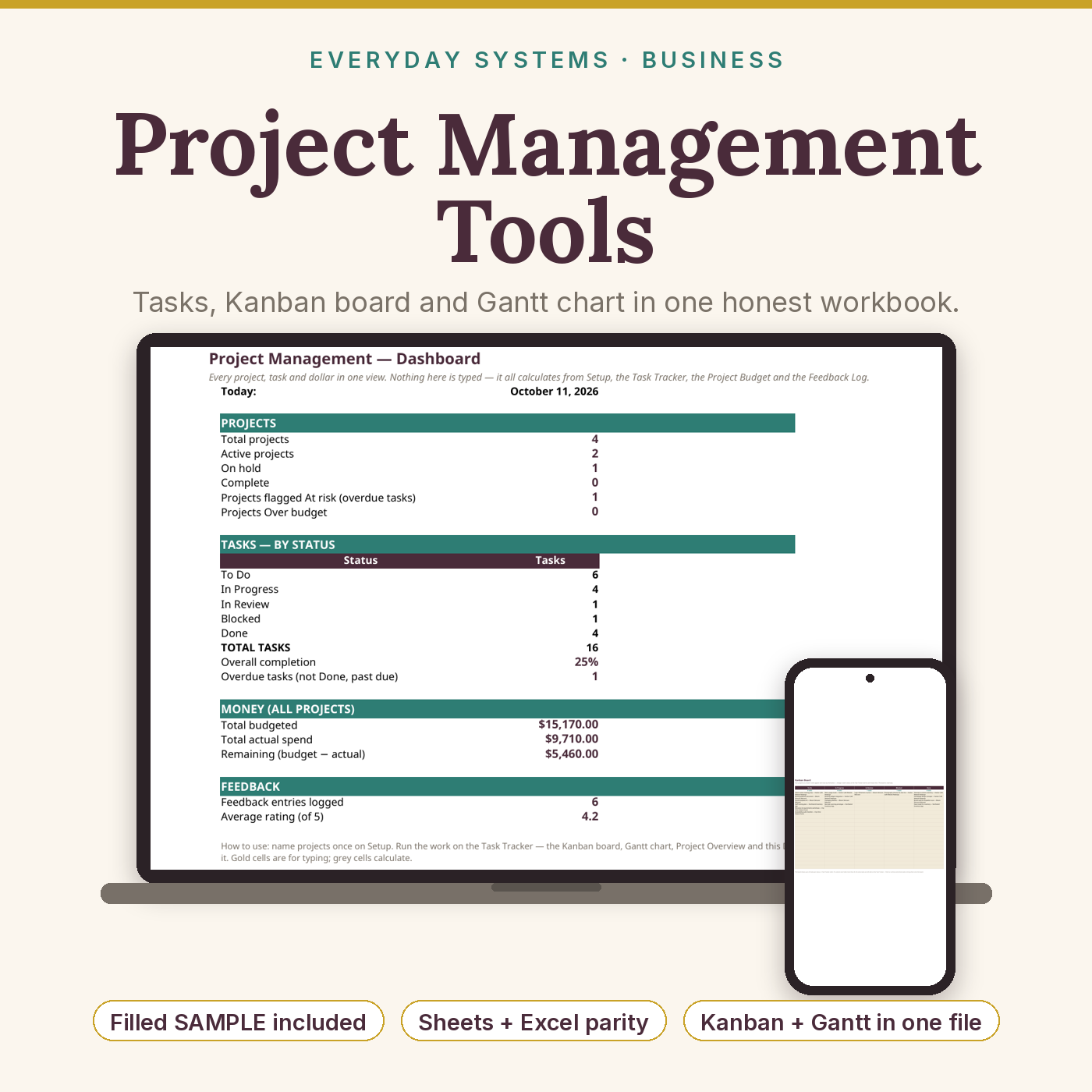
Project Management Spreadsheet with Kanban Board & Gantt Chart | Multi-Project Task Tracker, Project Budget & Overview Dashboard for Freelancers, Studios & Small Teams — Google Sheets and Excel
What’s Included (your download)
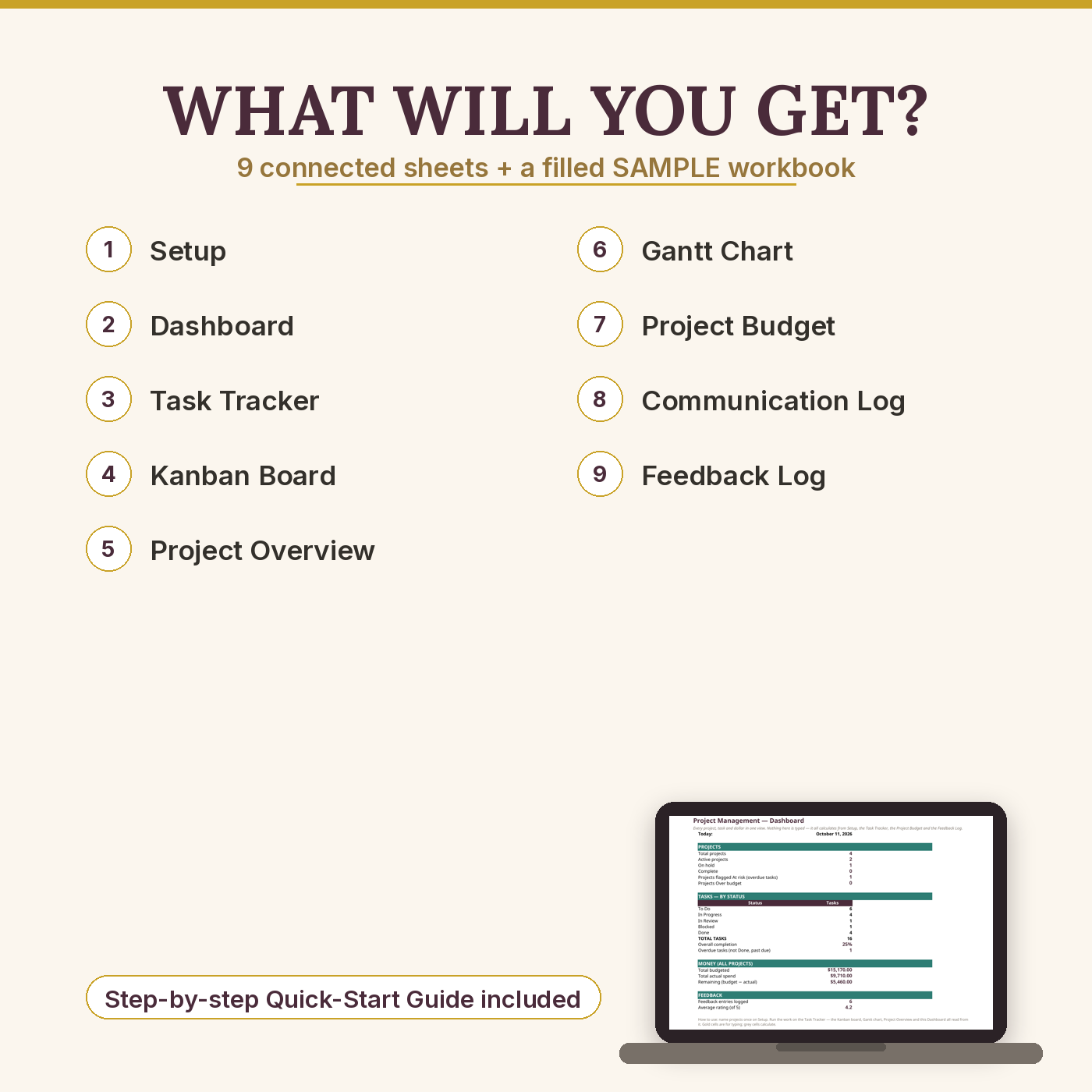
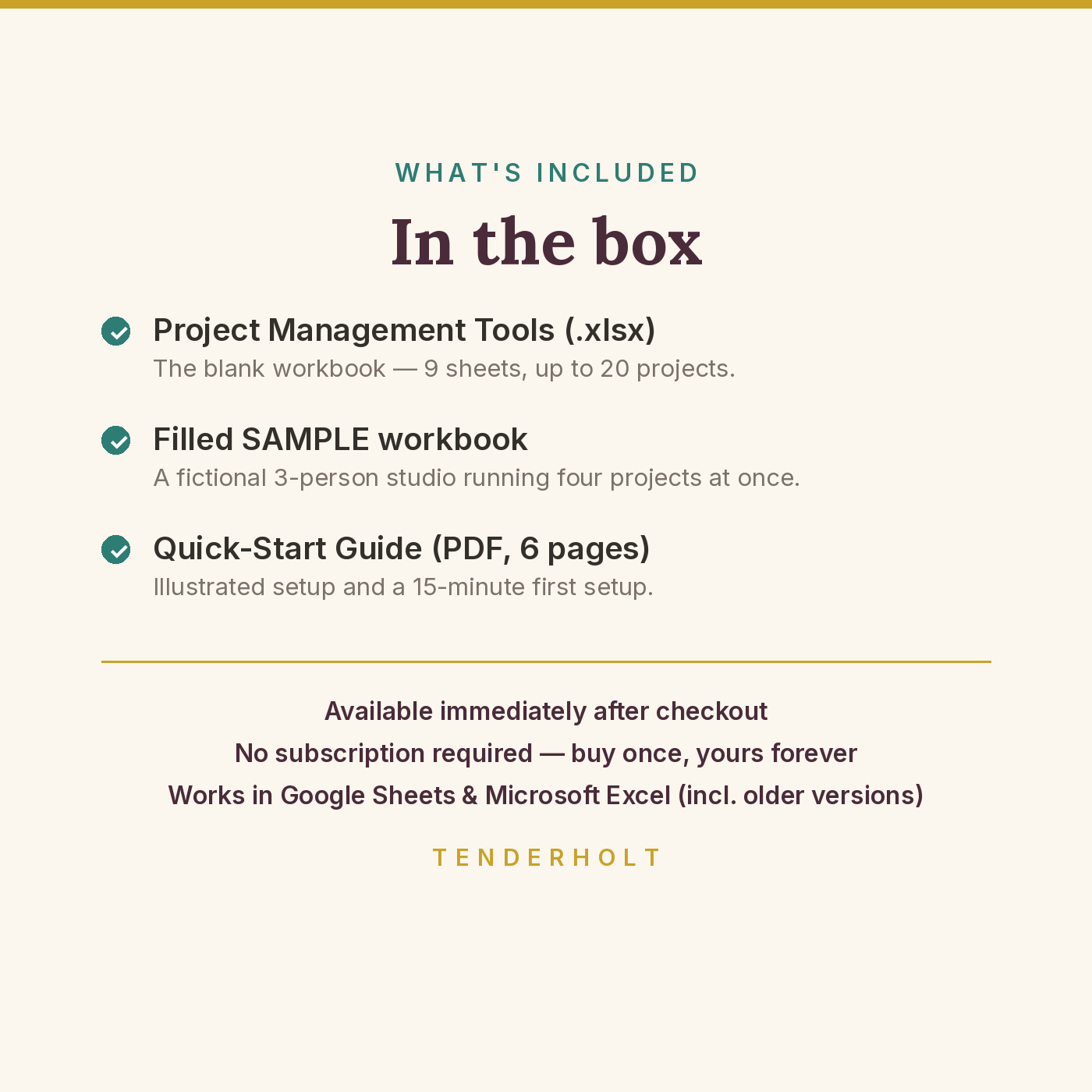
- Project-Management-Tools.xlsx — the blank workbook (9 sheets: Setup, Dashboard, Task Tracker, Kanban Board, Project Overview, Gantt Chart, Project Budget, Communication Log, Feedback Log)
- Project-Management-Tools-SAMPLE.xlsx — the same workbook filled in with a fictional 3-person studio running four projects at once, so you can watch the board, Gantt and rollups working before you type a thing
- Quick-Start-Guide.pdf — a 6-page illustrated setup guide: Sheets/Excel setup, sheet-by-sheet tour, a 15-minute first setup, capacities in plain language
- Free updates: if we improve this file, your updated copy is free in your account library
Product Details
Overview
One honest workbook that runs all your projects at once — the task tracker, Kanban board, Gantt chart, budgets and rollups a small team actually needs, in a single file with no subscription and no new software to learn. Name your projects once on the Setup sheet, run the work on the Task Tracker, and everything else — the board, the chart, the per-project overview, the dashboard — builds itself from that one list. Every task, budget line, conversation and piece of feedback carries a Project name, which is what makes a single workbook able to hold a whole studio’s worth of simultaneous projects without turning into soup.
What’s Included
- Setup — name up to 20 projects (client, lead, dates, status) and 15 team members once; every other sheet’s Project dropdown reads from here, plus the Gantt start-date setting
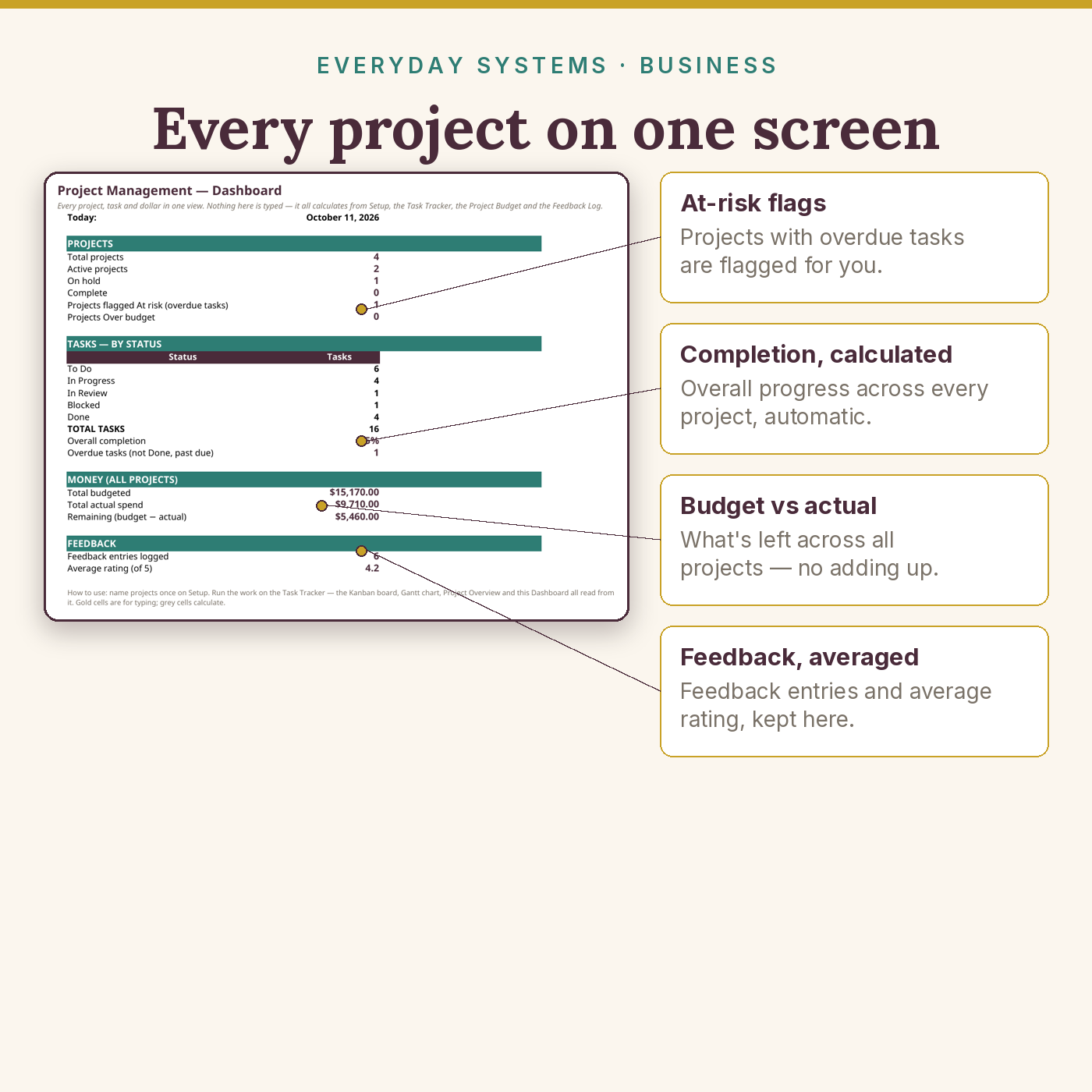
- Dashboard — projects and tasks by status, overall completion, overdue count, total budget vs actual spend, average feedback rating — all live
- Task Tracker — up to 150 tasks across all projects: owner, status, priority, dates, % complete
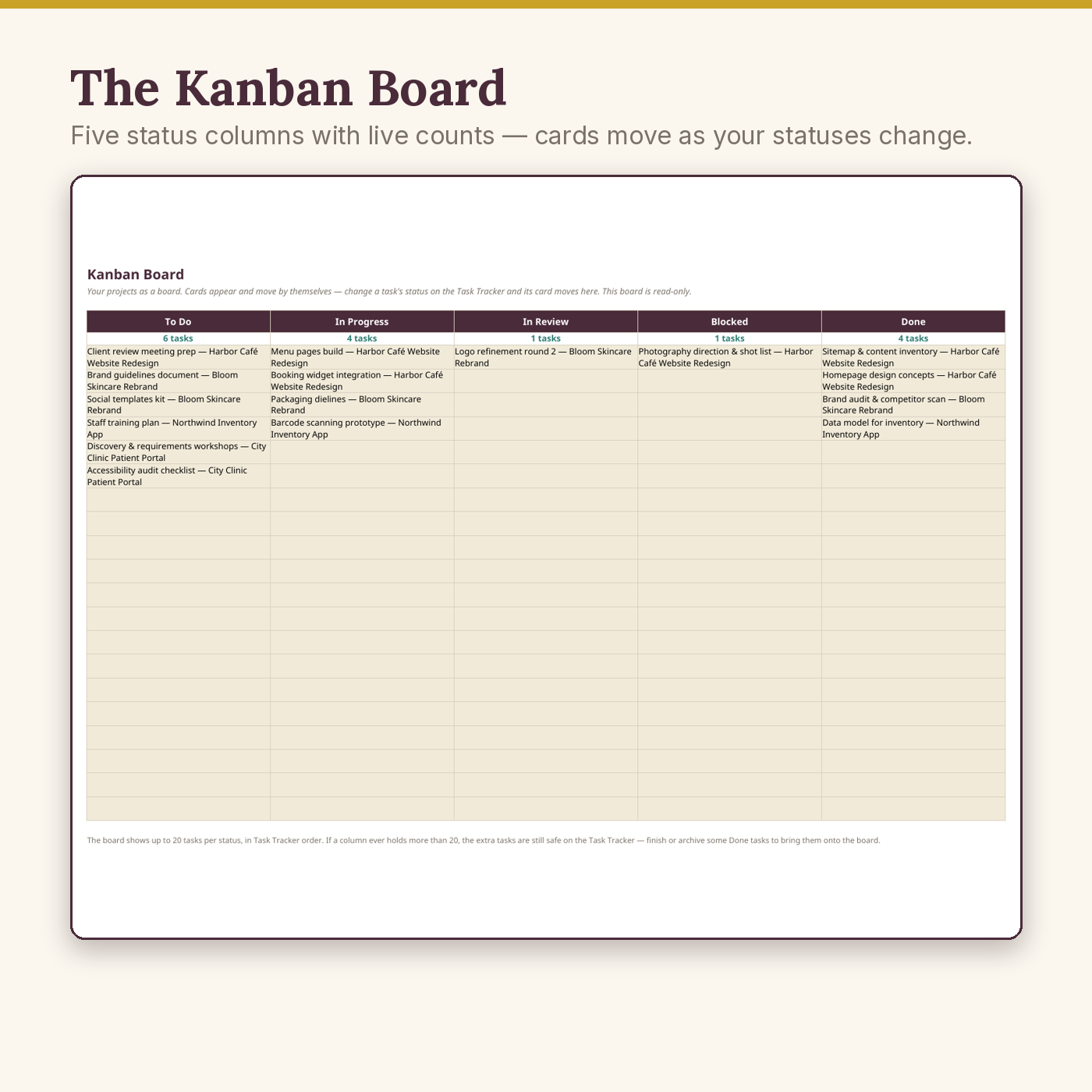
- Kanban Board — five status columns (To Do, In Progress, In Review, Blocked, Done) with live counts and self-moving cards, up to 20 tasks per column, each card labelled with its project
- Project Overview — one calculated row per project: tasks, done, % done, average progress, budget vs actual, remaining, and an honest health flag (At risk / Over budget / On track)
- Gantt Chart — a 16-week timeline of the first 40 tasks, all projects together; gold blocks for active weeks, teal for done, window start set by you
- Project Budget — up to 200 cost lines tagged by project, with automatic variance
- Communication Log — 300 per-project entries with action items
- Feedback Log — 200 entries with 1–5 ratings and actions taken; ratings average onto the Dashboard
- A filled SAMPLE copy and a 6-page Quick-Start Guide, included free
Key Benefits
- Every project, one glance — the Overview tells you which project is healthy, which is slipping, and which is quietly going over budget, without opening five files
- A board that maintains itself — change a status on the Task Tracker and the Kanban card moves; there is no second board to keep in sync, ever
- Dates you can see — the Gantt turns 40 rows of dates into a picture a client can understand in five seconds
- Budgets that can’t hide — planned vs actual per project, rolled up automatically from every cost line
- No per-seat, per-month anything — one payment, your file, works offline, your data stays on your machine
Who Is This For?
- Freelancers running two or more client projects at the same time
- Small studios and agencies (2–15 people) who need a shared, honest picture of the work
- Consultants and contractors juggling projects with different clients, budgets and deadlines
- Anyone who has outgrown a to-do list but does not want to rent a project-management platform forever
How It Works
- Open the workbook in Google Sheets (free) or Excel; the guide walks the two-minute setup and saving your own copy.
- On Setup, name your projects once. Every Project dropdown in the workbook now knows them.
- Run the work on the Task Tracker — project, owner, status, dates, % complete. Add budget lines as money is planned and spent.
- Watch the rest build itself: cards on the Kanban board, bars on the Gantt, rollups on the Overview, totals on the Dashboard. Log conversations and feedback as they happen, in seconds.
Why It’s Different
A well-known template seller offers a Gantt chart as one product, a Kanban board as a second, and a project bundle as a third — three purchases for one job. This is one honest workbook, sold once, with the parts connected instead of zipped together: the board reads the tracker, the Gantt reads the tracker, the Overview reads the tracker and the budget. It also stays lightweight where multi-tool bundles swell into slow 15-tab files, and every formula is an ordinary one — no macros, no array formulas — tested in older Excel (2010 onwards) and Google Sheets, with the capacities printed plainly below instead of discovered later.
Delivery & Compatibility
Instant download after payment confirmation — files also wait permanently in My Account → Downloads (5 downloads, 365 days; lost files re-issued free on request). You receive two .xlsx workbooks and one PDF guide. Works in Google Sheets (free — upload and “Save as Google Sheets”) and Microsoft Excel 2010 or newer, Windows and Mac. No macros, no add-ons, no subscription. Honest capacities: up to 20 projects and 15 team names on Setup; 150 tasks; 200 budget lines; 300 communication entries; 200 feedback entries. The Kanban board displays up to 20 tasks per status column (100 cards total) and the Gantt chart displays the first 40 tasks over a 16-week window — if you outgrow a display limit, the underlying task data is unaffected on the Task Tracker.
Disclaimer
This is a planning and tracking tool, not project-management software: it does not send notifications, assign tasks to teammates, or sync with calendars or other apps. Figures, flags and board positions are calculated from the data you enter — keep task statuses and dates current and the picture stays true. Project names must match between sheets for rollups to connect (the Setup-fed dropdowns make this automatic). Not business, financial or legal advice.
Pairs well with
Client Tracker (Mini-CRM) — the client side of the same business: leads and invoices there, delivery here. Together with the Small-Business & Seller Bookkeeping Bundle, your whole operation runs on three files that were designed to agree with each other.
Reviews
There are no reviews yet.