
Plan, create and publish a week of content in one sitting — without a team.
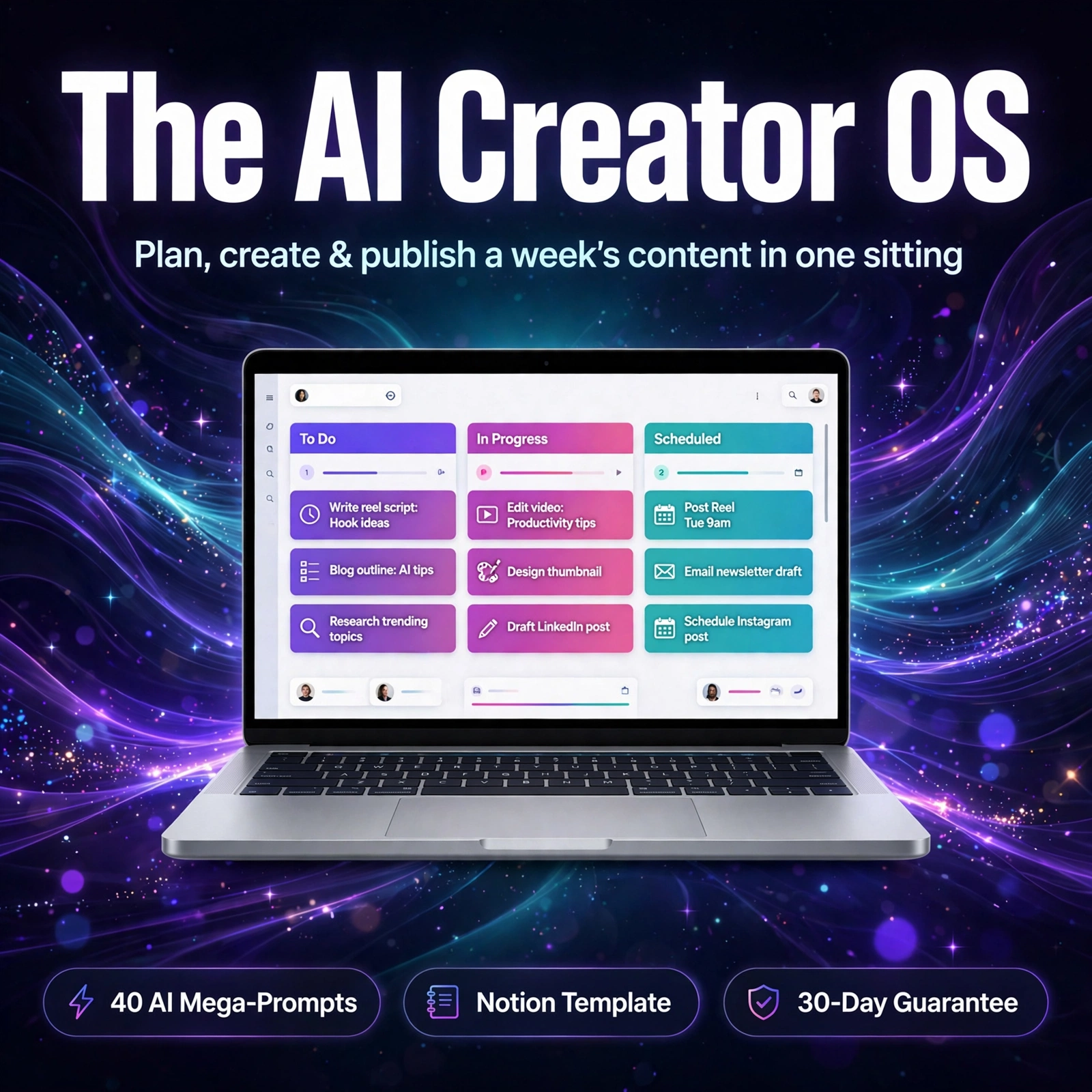
The AI Creator OS is a Notion system with 40 mega-prompts wired into every step of your workflow. One workspace for your ideas, scripts, publishing and repurposing — built for solo creators and freelancers.
30-day money-back guarantee. Works with the free Notion plan. Not sure yet? Try the free AI Creator Mini OS first — 10 prompts + a mini pipeline, no card required.
The problem
You didn’t start creating content to become a project manager. But look at your week: ideas scattered across your notes app, a half-written script in Google Docs, 47 saved Reels you’ll ‘reference later,’ a DM thread with a sponsor you haven’t followed up on, and a voice in your head whispering, ‘You should have posted yesterday.’ The blank page is the worst part. You know you need to post consistently, but every post starts from zero. And AI was supposed to help — instead it gave you generic. You paste a prompt, and out comes content that sounds like everybody else. Then there’s the repurposing treadmill: you film one good video, and to ‘be everywhere’ you’re supposed to cut it into shorts, design a carousel, write a newsletter, draft an X thread — manually, one by one. Nobody has time for that. It’s not a motivation problem. It’s a system problem.
The shift — introducing the system
What if content didn’t start with a blank page? What if, on Monday morning, you opened one dashboard — and your week’s ideas were already scored, your hooks already drafted, your scripts already waiting, and every prompt you needed was one click away, written in your voice? That’s what the AI Creator OS does. It’s not a course you watch and forget. It’s not a pile of 500 loose prompts. It’s a complete Notion workspace where the AI prompts are wired into each step of your pipeline — ideation, scripting, publishing, repurposing, reviewing. Notion holds the system. AI does the heavy lifting inside it. You stay in charge of the taste. Other Notion systems give you pretty databases with zero AI. AI courses give you prompts with zero system. The AI Creator OS combines all three — workspace, wired-in AI, and a repurposing engine — so a week’s content can genuinely happen in one sitting.
What’s inside
Creator HQ — your command centre. One dashboard that runs your whole content operation: today’s focus, quick idea capture, this week’s pipeline at a glance, shortcuts to every module.
Ideas Bank — never lose a good idea again. Every idea gets scored: Pain (does my audience care?), Hook (can this open strong?), Effort (what will it cost to make?) — each 1–5, so you always know what to make next.
Content Pipeline — your week, on a board and a calendar. Idea → Script → Film → Edit → Scheduled → Published. Drag-and-drop board plus calendar view. Nothing slips.
Script templates + 100-hook library. Templates for reels, YouTube, tutorials, carousels — plus a swipe library of 100 hooks organized by type.
The AI Mega-Prompt Vault — 40 prompts, wired in, not thrown in. Full copy-paste workflows, each built for a specific step of your pipeline.
Repurpose Engine — one video becomes five pieces of content. Shorts, a carousel, a newsletter and an X thread come out — with prompts guiding each transformation.
Brand Voice page — so AI stops sounding generic. Fill in your voice profile once; every prompt in the vault pulls from it.
Sponsors & Deals tracker. Every brand conversation, pitch, and payment in one place — statuses from outreach to paid.
Weekly Reviews. What worked, what flopped, what to make next — recorded, not just felt.
Quick-start guides. From download to your first full content cycle in an afternoon.
How it works — 3 steps
Step 1 — Set your voice (15 minutes). Run the first prompt, paste samples of your best posts, get your Brand Voice Profile. Every prompt now sounds like you.
Step 2 — Run the pipeline (one sitting). Score ideas, generate hooks, draft scripts, package titles and captions — moving each post down the pipeline board.
Step 3 — Repurpose and review. Push your best piece through the Repurpose Engine, then close the week with the review prompts.
The Prompt Vault — deep dive
Most prompt packs are 500 generic one-liners that die in a Google Doc. This vault is the opposite: every one of the 40 prompts is a complete, copy-paste workflow — with rules, examples, and a defined output — wired to the exact step where you use it.
Brand Voice — 3 prompts. Build your voice profile, rewrite anything in your voice, voice-check before you publish.
Ideation — 5 prompts. Thirty ideas from your audience’s pain, one comment into ten ideas, steal structures (not content), validate before filming, a week of content from one theme.
Hooks — 5 prompts. Twenty hooks per idea, a doctor for weak openings, pattern-interrupt hooks for faceless creators, a 100-hook swipe builder, a hook-plus-payoff check.
Scripts — 6 prompts. A reel script in sixty seconds, full YouTube structure, story scripts, tutorial scripts, a script tightener, carousel scripts slide by slide.
Titles & Thumbnails — 4 prompts. Fifteen ranked titles, thumbnail text in three words or less, a curiosity-gap audit, A/B test packs.
Captions & CTA — 4 prompts. Captions that earn the save, five CTAs matched to your goal, a pinned-comment kit, SEO descriptions and tags for YouTube.
Repurpose — 5 prompts. One long video into five shorts, one idea into a full platform pack, fresh angles from winning posts, video-to-newsletter drafts, dead-post revival.
Sales & DM — 4 prompts. Soft-sell posts, DM conversation flows, sponsor outreach emails with follow-ups, objection answers in your voice.
Review & Improve — 4 prompts. A weekly review of what the numbers say, a retention detective, a 90-day content audit, next week’s plan from this week’s evidence.
All 40 work in ChatGPT, Claude, and Gemini — including the free versions.
Who this is for / not for
This is for you if: you’re a solo creator or freelancer without a team; you want to post consistently but hate the chaos; you’ve tried AI prompts and been disappointed by generic output; you’ll spend one focused sitting a week to get content done.
This is NOT for you if: you want someone else to create the content for you (this is a system, not a service); you refuse to use AI at all; you’re looking for a get-rich-quick scheme — this saves time and keeps you consistent; that’s the promise, nothing more.
Bonuses
A filled 30-day content calendar — a real, example-filled calendar showing a full month in this system.
The Canva thumbnail & carousel pack — original designs made for this system, ready to customize. Original work, not a resold PLR pack.
Quick-start guides for each module.
Price + guarantee
The full AI Creator OS — everything above, all 40 prompts, all bonuses — is $99. But during launch, you get it for $59. Lifetime access, including future updates to the core system. Protected by a 30-day money-back guarantee: use it for a full month; if it doesn’t save you real time and make your weeks easier, email me and I’ll refund you — no forms, no hard feelings.
Still not sure? Start free: grab the AI Creator Mini OS — 10 prompts plus a mini pipeline, free.
FAQ
Do I need the paid Notion plan?
No. Everything runs on Notion’s free plan.
Which AI tools do the prompts work with?
ChatGPT, Claude, and Gemini — including free versions. Plain English, no special setup.
I’m a beginner. Will this overwhelm me?
The Start Here and quick-start guides are made for you. The Mini OS lets you learn the rhythm on 10 prompts first.
Is it faceless-creator friendly?
Yes — pattern-interrupt hooks, script templates and the repurpose flow were written for faceless and screen-recording creators.
How do I receive it?
A link to duplicate the complete Notion workspace into your own account, plus the Canva pack and guides. Yours forever.
Will I get updates?
Yes — core updates are free; when the vault expands, existing buyers get the additions.
What if it doesn’t work for me?
The 30-day money-back guarantee: if it doesn’t make your content weeks easier, email me for a refund.
Is there a free version?
Yes — the AI Creator Mini OS: 10 prompts, a mini pipeline, and the brand voice page, free.
Final call to action
Every week without a system costs you hours you don’t have — blank pages, generic AI output, manual repurposing. The AI Creator OS gives you those hours back, in a workspace you’ll actually open. $59 launch price. 30-day money-back guarantee. Free Mini OS if you want to try first.