
Description
Smart Bill Calendar Spreadsheet for Google Sheets & Excel — Bill Payment Tracker, Due Date Calendar & Printable Bill Pages (Letter + A4)
What’s Included (your download)
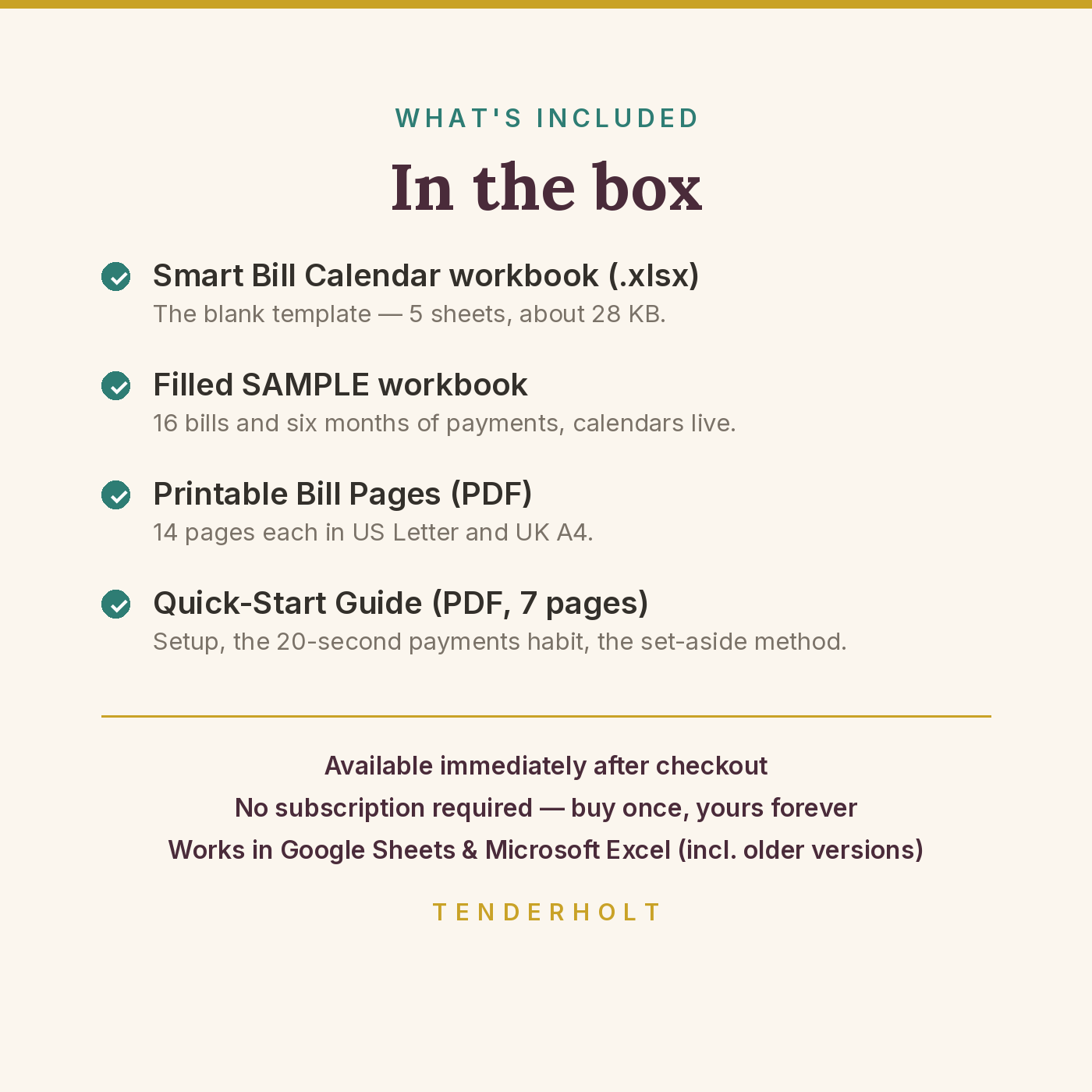
- Smart-Bill-Calendar.xlsx — the blank template (5 sheets, ~28 KB)
- Smart-Bill-Calendar-SAMPLE.xlsx — the same workbook pre-filled with a fictional household’s bills and six months of payments
- Quick-Start-Guide.pdf — 7-page guide (Letter)
- Bill-Calendar-Printable-US-Letter.pdf — 14 printable pages (cover + dated 2027 year + undated page), weeks start Sunday
- Bill-Calendar-Printable-UK-A4.pdf — the same 14 pages in A4, weeks start Monday
Product Details
Overview
Bills rarely surprise us because they’re big. They surprise us because they were invisible until they were due — the annual insurance that lands the same week as the quarterly tax, the subscription that renews in silence at a new price. The Smart Bill Calendar makes every bill visible: define each one once, and the workbook builds your whole year of due dates, shows any single month in paid/unpaid detail, counts down to every next due date from today, and converts the big infrequent bills into one small monthly set-aside so they’re already paid for when they land. A printable edition (US Letter and UK A4) puts the same calendar on the fridge door.
What’s Included
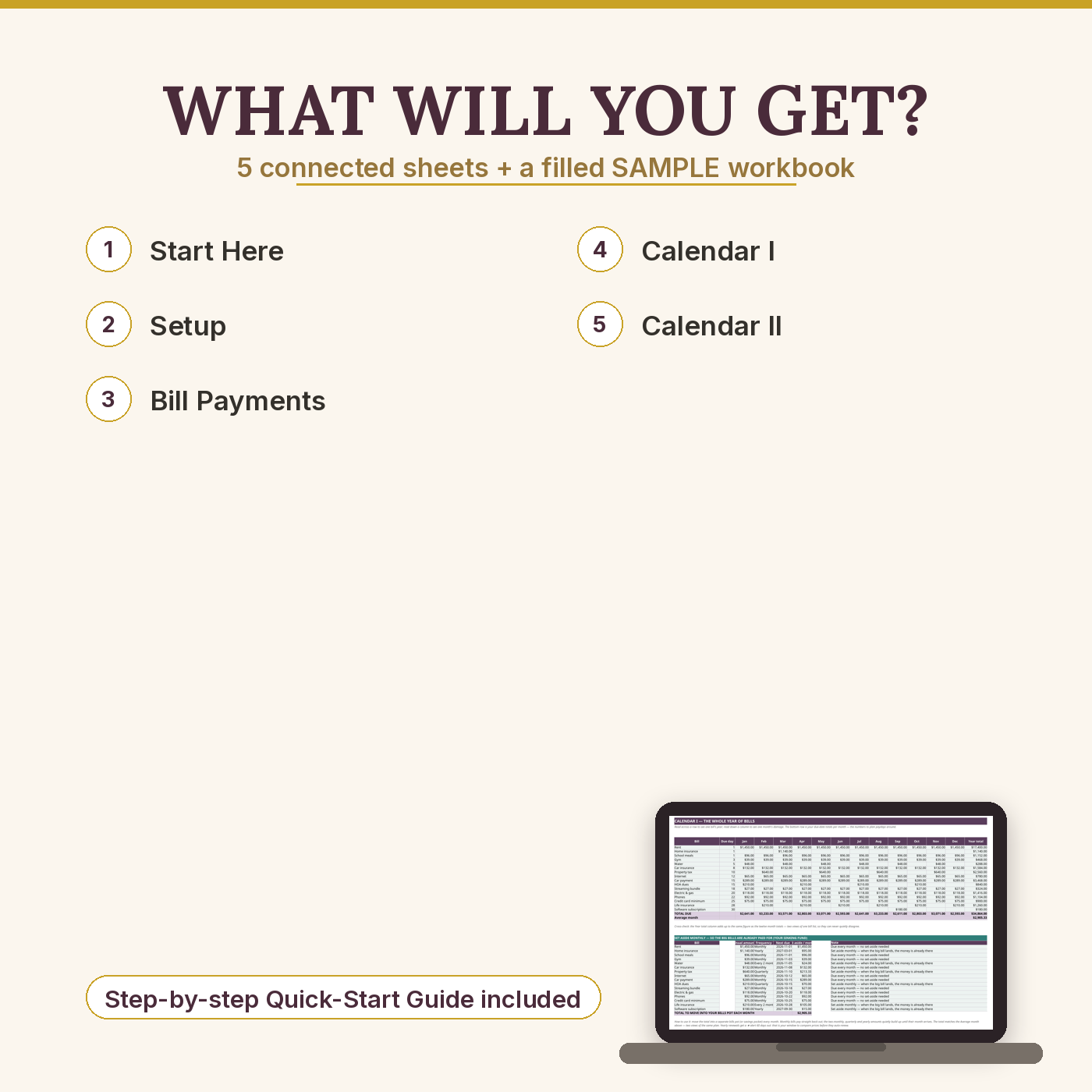
- START HERE — the 10-minute setup in six steps, the 20-second payments habit, how “usual amount” works, the printable pages, and the colour legend (gold = type here, pale = formula, purple = totals).
- Setup — your bill list, defined once: up to 16 bills with name, due day, usual amount, frequency (Monthly / Every 2 months / Quarterly / Yearly, from a dropdown) and a First due month anchor for anything non-monthly. Due days of 29–31 are handled gently — in a shorter month the bill shows on that month’s last day. Your average month of bills is displayed at the bottom.
- Bill Payments — the log: one line per payment (date, bill picked from your Setup list, amount actually paid), 200 lines ready. Paid something in two parts? Two lines — the calendar adds them up. Running totals of everything paid and lines logged.
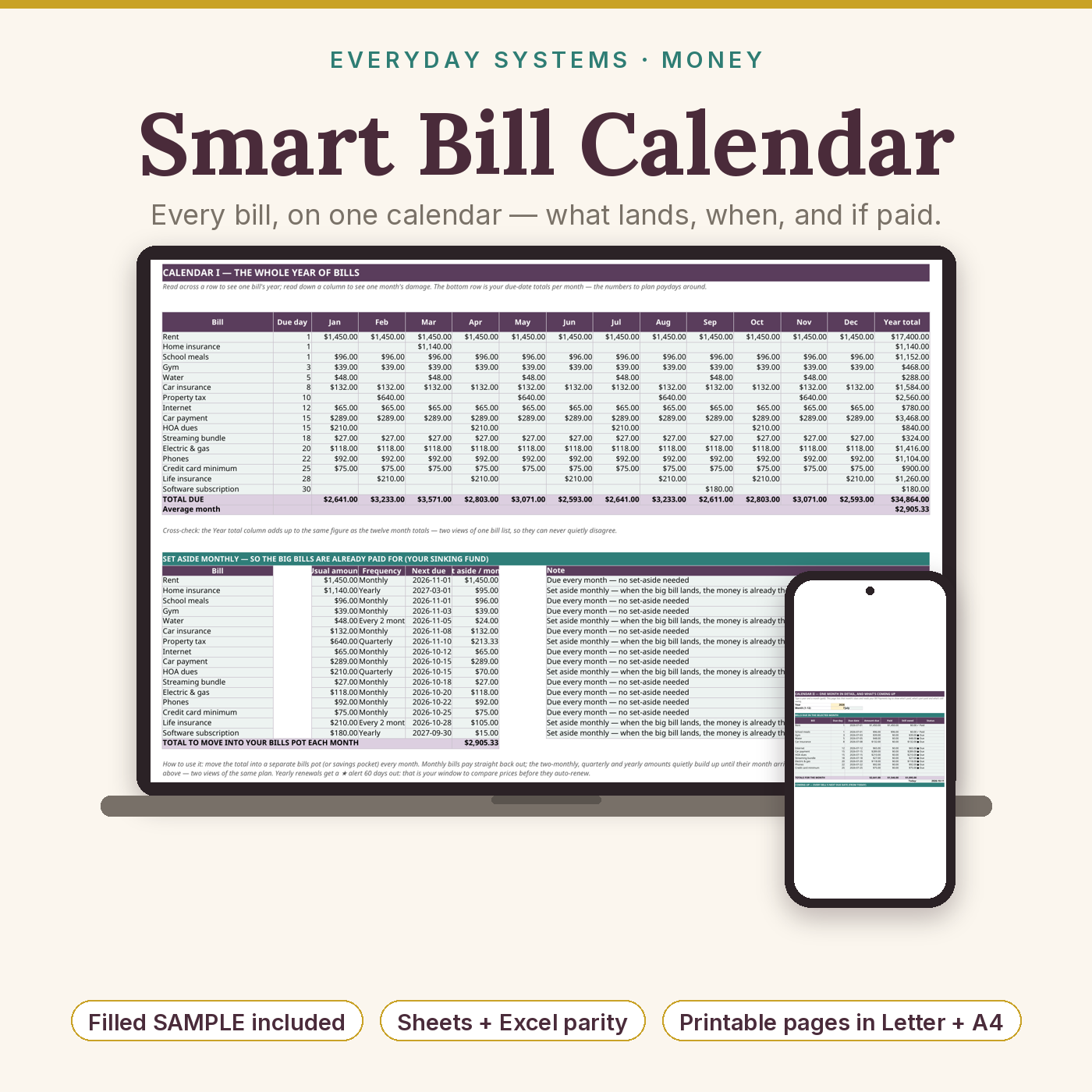
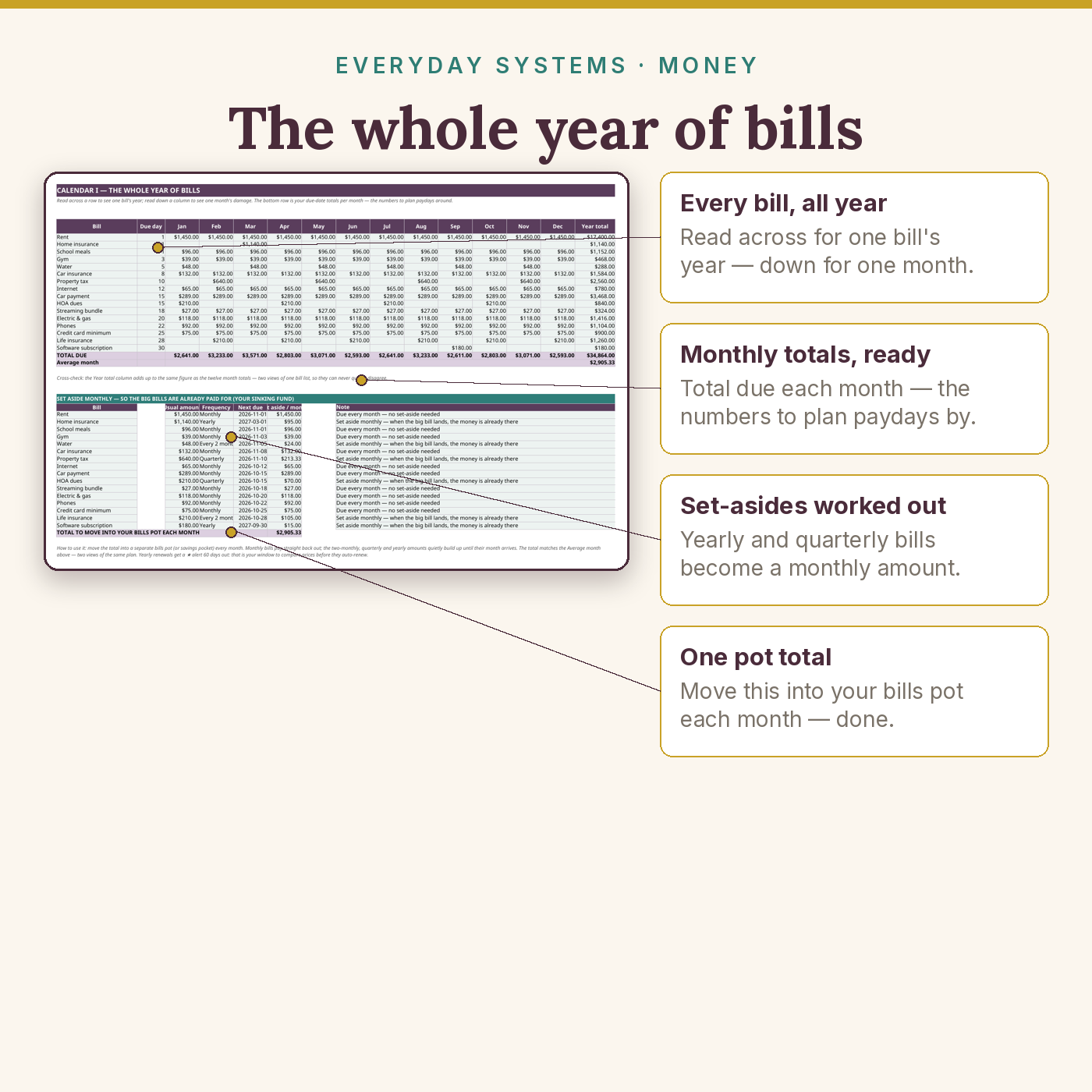
- Calendar I — the whole year — every bill × every month in one grid, with the total due in each month, each bill’s year total, your average month, and a pie chart of where the year’s bill money goes. Below the grid, the set-aside table turns every bill into a monthly sinking-fund amount (with the total to move into your bills pot each month) and flags ★ yearly renewals due within 60 days, so you can check the price before they renew.
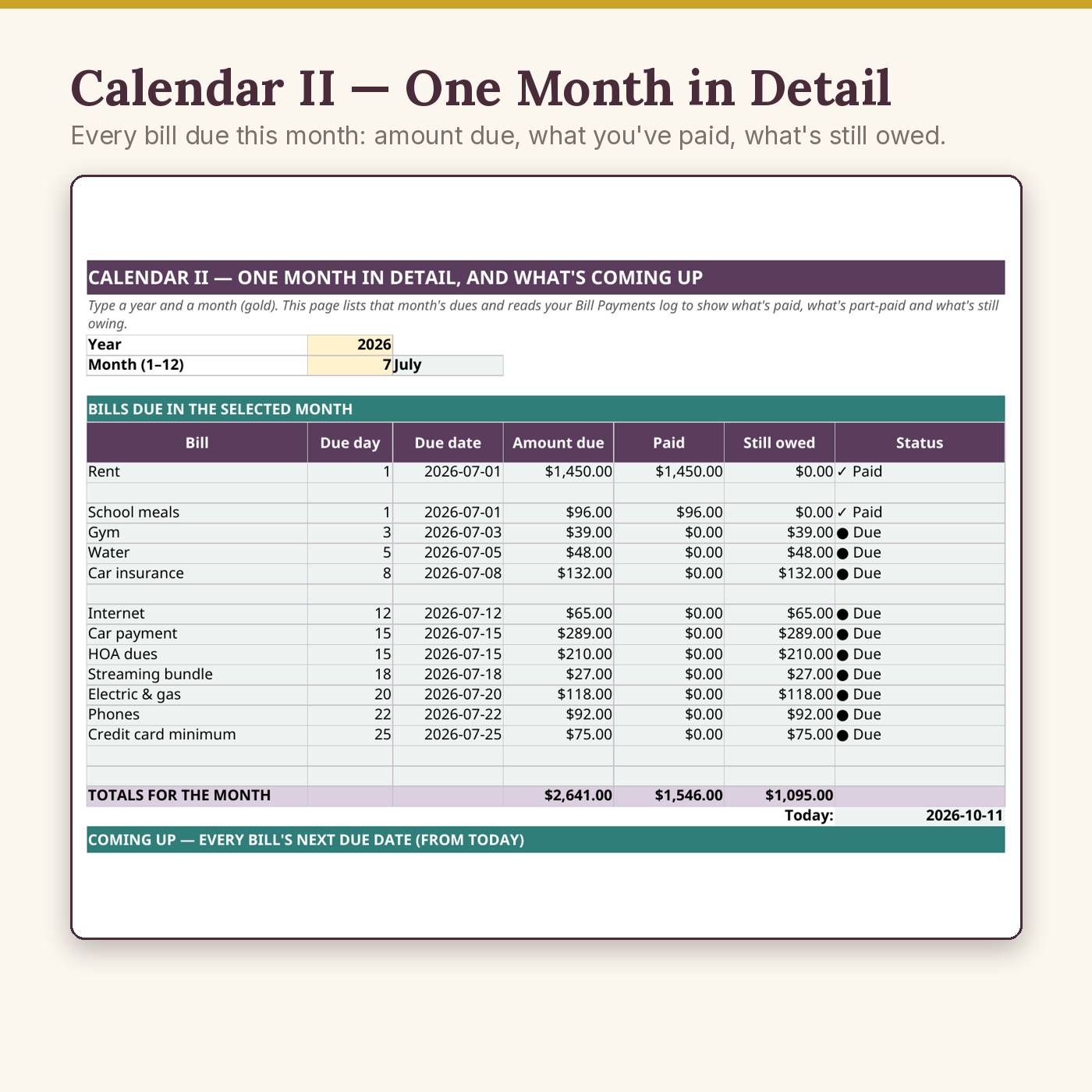
- Calendar II — one month in detail — type any year + month: every bill due that month with its due date, amount due, what your log says you’ve paid, what’s still owed, and a plain status — ✓ Paid / ◐ Partly paid / ● Due — plus the month’s totals. Underneath, the Coming Up block lists every bill’s next due date counted from today (there’s a Today cell so you can see what it’s counting from), the days remaining, and a ★ flag on anything due within 30 days.
- SAMPLE workbook — a fictional household of 16 bills (rent to software subscription), a full year of dues totalling $34,864, an average month of $2,905.33, a “stealth month” in March ($3,571, when the yearly home insurance lands on an otherwise ordinary month), and 72 logged payments — including one honestly missed streaming payment, so you can see exactly what a working calendar looks like.
- Printable bill-calendar pages (PDF, US Letter + UK A4) — cover, a dated page for every month of 2027 with a write-in calendar grid and that month’s bills table with Paid tick-boxes, and an undated page that works for any month of any year.
- 7-page Quick-Start Guide (PDF) — setup, the payments habit, reading both calendars, the worked SAMPLE month, the set-aside method, renewal alerts, the printables, troubleshooting and compatibility.
Key Benefits
- No more due-date ambushes — the whole year is visible at once, including the month where three patterns collide.
- Know your average month — total bills ÷ 12, always current: the one number that makes bill money plannable.
- Paid, part-paid or due — at a glance — Calendar II reads your log and tells the truth about every bill, every month.
- Big bills stop being emergencies — the set-aside table converts yearly and quarterly bills into a monthly amount to tuck away.
- Renewals can’t sneak up — yearly bills get a ★ alert 60 days before they renew, while there’s still time to compare or cancel.
- Digital + paper — the workbook remembers; the printable pages keep the whole household in the loop.
- Light and fast — about 28 KB, five sheets, standard formulas only. It opens instantly and stays quick in December.
Who Is This For?
- Anyone who has ever said “wait, that’s due THIS week?” — especially households with quarterly, two-monthly or yearly bills mixed in with the monthly ones.
- People whose subscriptions renew silently and who want a 60-day warning, not a surprise charge.
- Couples and families who want one shared, honest picture of what’s paid and what’s still owed.
- Paper-and-fridge planners who still want the maths done for them — print the month, tick the boxes, let the workbook keep the history.
How It Works
- Download and make your own copy (Google Sheets: File → Make a copy; Excel: Save As).
- On Setup, list each bill once: name, due day, usual amount, frequency — and the first due month for anything that isn’t monthly (~10 minutes).
- Look at Calendar I: your whole year, your heaviest month, your average month. Glance at the set-aside table and start moving that total into a bills pot monthly.
- When you pay a bill, add one line to Bill Payments (20 seconds). Calendar II marks it ✓ Paid automatically.
- Any time, open Calendar II’s Coming Up block to see what’s landing next. Print the month’s page if your household runs on paper.
Why It’s Different
Most bill calendars stop at a pretty grid of due dates — and most have no paper edition at all. This one closes the loop three ways a grid can’t. First, it separates due from paid: the payments log feeds Calendar II, so the calendar tells you what has actually gone out, what’s part-paid, and what’s still owed — not just what was scheduled. Second, it plans the big bills instead of just displaying them: the set-aside table is a working sinking fund, dividing every infrequent bill into a monthly amount whose total exactly matches your average month. Third, it warns you: a Coming Up countdown from today with 30-day ★ flags, and 60-day renewal alerts on yearly bills. And uniquely in its class, it ships with printable calendar pages in both US Letter (Sunday-start) and UK A4 (Monday-start) — because a bill calendar only works if the whole household can see it. Like every Everyday Systems workbook, a filled SAMPLE shows the finished state before you type a single number.
Delivery & Compatibility
Instant download after checkout: the blank workbook, the SAMPLE workbook, the PDF guide, and both printable PDFs — direct files, no links to chase, no account to create. The workbook runs in Google Sheets and Microsoft Excel — including older Excel (2016 and later). Only standard formulas are used (SUM, SUMIF, SUMIFS, IF, MOD, DATE, TODAY and friends): no macros, no dynamic arrays, no XLOOKUP, nothing to install or enable. Amounts are plain numbers, so the calendar works in any currency (the $ in the number formats is only a display symbol). The printables are ordinary PDFs for any home printer — print at 100% (“Actual size”). If the workbook opens view-only, you opened the original download: make a copy and work in the copy.
Disclaimer
This workbook is an educational organising tool, not financial advice, and it does not promise any particular result. Due dates are calculated from the patterns you enter — always confirm a bill’s real due date with the provider, especially after a plan change. The SAMPLE household is fictional and their figures are illustrative. One purchase covers one household; please don’t redistribute the files. If you get stuck setting up, reply to your purchase email and we’ll help you get it running.
Reviews
There are no reviews yet.