
You have three note apps, two hundred open tabs, and a brilliant idea from last month that you can describe but cannot find. Your head is full and your system is empty. The “second brain” idea is simple: stop using your memory as storage, and build a place outside your head where everything you learn, plan and think actually lives — and can be found in seconds.
Notion is the most popular place to build one, for good reasons: it’s free for personal use, its databases link together like a real system, and it syncs everywhere. Here’s how to build a second brain in Notion from scratch — and, honestly, when you should just start from a template instead.
What a Second Brain Actually Is
Forget the grand visions. A second brain does three jobs, and only three:
- Capture — get ideas, notes, links and tasks out of your head fast, before they vanish.
- Organise — give everything one home, so it can be found later.
- Retrieve — find anything in seconds, and turn it into action when it matters.
That’s the whole test. If you can find any note, number or idea in under thirty seconds and convert it into a next step, the system works. If your notes are beautiful and unfindable, it doesn’t — no matter how aesthetic the dashboard is.
PARA in Plain English
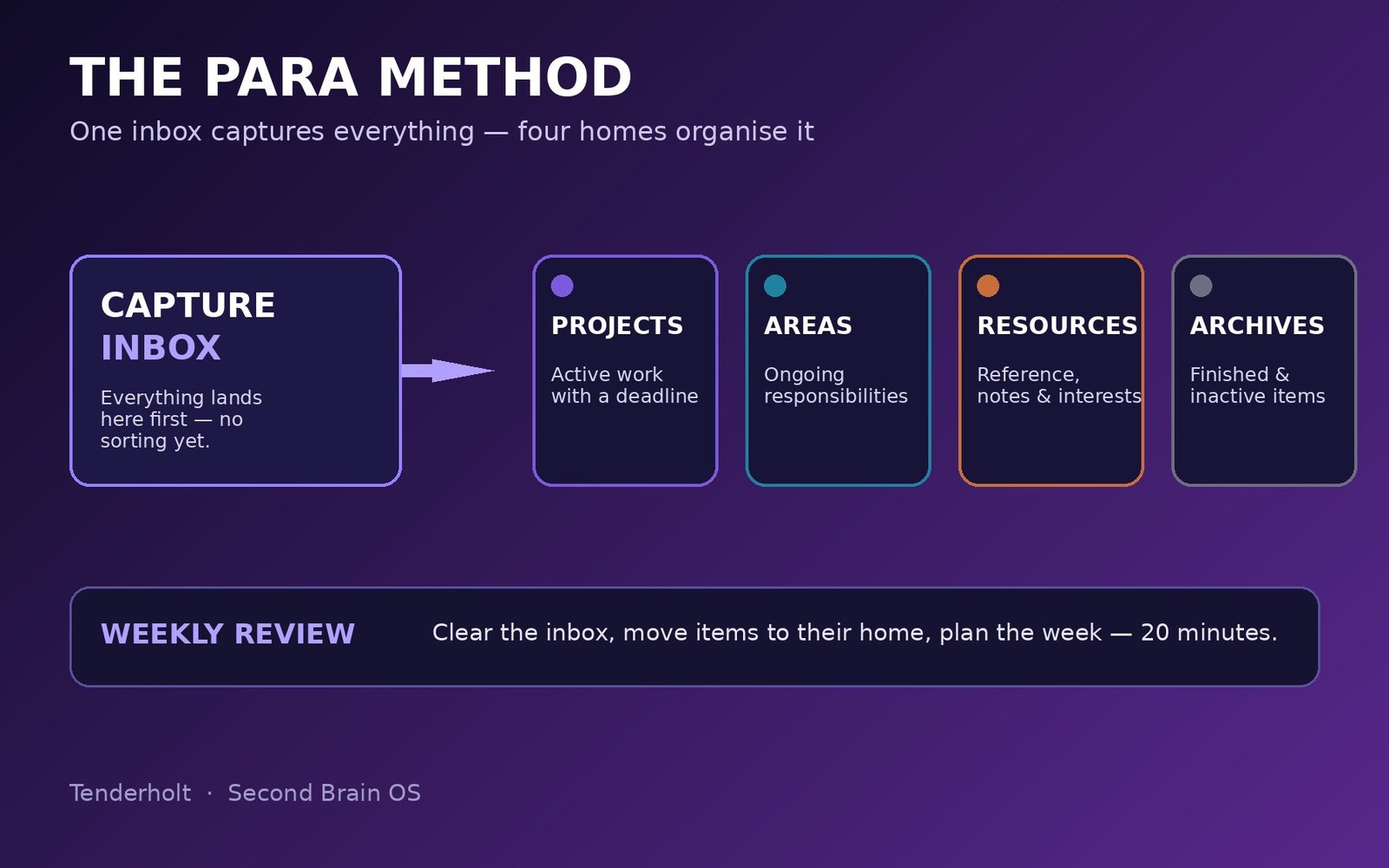
The most-used framework for a second brain is PARA (a public method by Tiago Forte). Four buckets, and everything you own goes in one of them:
- Projects — active commitments with a deadline. “Launch the portfolio site.” “Plan the Q3 campaign.” Each project has an outcome and a date.
- Areas — ongoing responsibilities with no finish line. Health, finances, career, home. These are the parts of life you maintain, not complete.
- Resources — reference material on topics you care about. Articles, book notes, course material, tools. The library you’re building for future-you.
- Archives — inactive projects and completed items. The attic. Things leave here; they don’t live here.
Plus one more thing PARA implies but people skip: the Inbox. Everything lands in the inbox first — raw, unfiled, fast. Processing happens later, in a daily 10-minute session. Capture and organise are separate jobs, done at separate times. That’s the insight that makes the whole thing sustainable.
Step by Step: Building It in Notion
Step 1 — Create the structure
Make a top-level page called “Second Brain.” Inside it, create six databases (Notion’s full-page tables work best):
- Inbox — title, date captured, type (idea / task / note / link)
- Tasks — title, project (linked), priority, due date, status
- Projects — name, status (Active / Paused / Done), deadline, area (linked)
- Areas — name, status, a short note on what “good” looks like
- Resources — title, type (article / book / video / course / tool), topic, rating
- Notes — title, topic tags, the takeaway
Keep properties minimal at first. You can add fields forever; you can’t get back the evening you spent designing a database instead of using it.
Step 2 — Set up the capture habit
The system lives or dies on capture. For the first week, the only rule: everything goes in the Inbox. Ideas in the shower (phone note, moved later), articles worth reading, tasks people mention in meetings, quotes, links. Don’t file anything yet. Just capture.
Step 3 — Process daily, ten minutes
Once a day — morning coffee is the classic slot — open the Inbox and ask each item one question: what is this? Then move it:
- Action with a deadline → Tasks (linked to a Project, or create one)
- Ongoing responsibility → Areas
- Something to learn from → Resources, with a one-line note on why you saved it
- A thought worth keeping → Notes, tagged by topic
- Nothing anymore → delete it. Deleting is organising.
Aim to end each session with an empty-ish inbox. Not perfect — just processed.
Step 4 — Run the weekly review
This is the step everyone skips and the step that matters most. Once a week, 20–30 minutes:
- Clear any leftover inbox items.
- Review each active project — still active? Still the right deadline?
- Check the week’s completed tasks. (This is the motivation fuel — look at what got done.)
- Scan Areas — anything neglected? Health, money, relationships get a glance.
- Pick next week’s 3 priorities.
A second brain without a weekly review becomes a second attic. The review is what keeps it a brain.
Step 5 — Retrieve on purpose
When you need something, search. Notion’s search across all six databases is fast — and this is where the daily processing pays off, because processed items have titles, tags and links, while inbox sludge doesn’t. The habit to build: when you learn something useful, spend 30 extra seconds writing the takeaway in your own words. Your future self doesn’t need the article — it needs the one line you took from it.
Making Capture Effortless
The best capture system is the one between you and the thought in under five seconds. Set these up once:
- Phone widget: Notion’s mobile widget can create a new Inbox page in one tap. Put it on your home screen. The shower idea gets captured before the towel’s dry.
- Web clipper: the Notion Web Clipper browser extension saves articles straight into Resources with the link attached. One click, no copy-paste.
- Voice notes: most phones transcribe voice memos now. Ramble for sixty seconds, paste the transcript into the Inbox, process it in the morning session.
- The two-minute rule of capture: if capturing takes longer than two minutes, you’re filing, not capturing. Title + one line. Filing is tomorrow’s job.
Friction is the enemy. Every extra tap between the thought and the inbox is a thought you’ll lose — and the whole system exists so you stop losing them.
Build It Yourself vs Start From a Template — Honestly
You can build all of the above yourself in an evening. People do, and some love it. But be honest about the trade:
Build it yourself if: you enjoy the setup, you have unusual needs, or you learn systems by building them. Cost: one evening, plus the weeks of tweaking you’ll inevitably do.
Start from a template if: you want the system working today, you want to see what “done” looks like, or you’ve built three systems before and abandoned all of them. A good template gives you the structure, realistic example data so the method clicks immediately, and a review ritual already written.
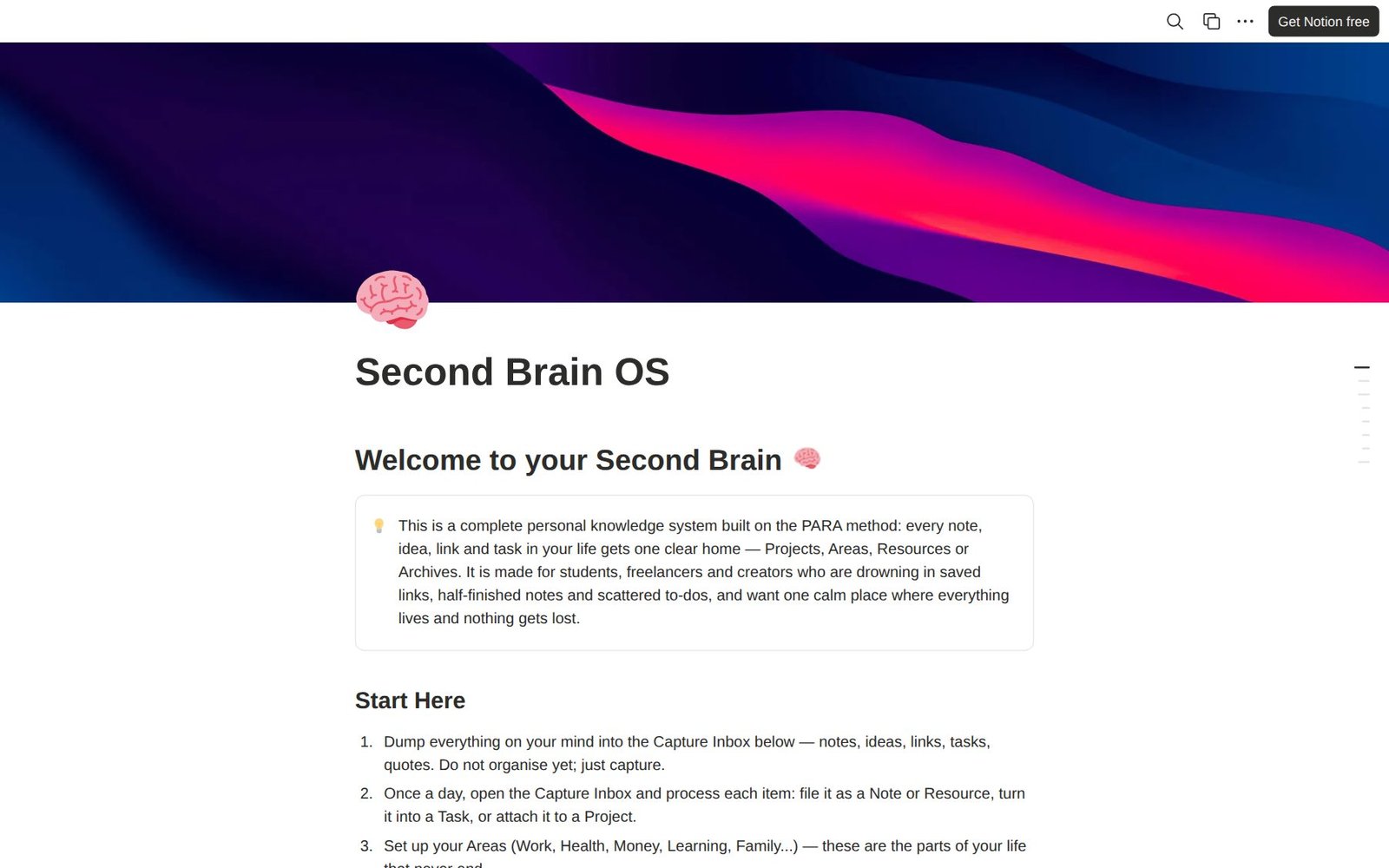
Second Brain OS ($39, regular $79) is our done-for-you version: the full PARA structure — capture inbox, tasks, projects, areas, resources and notes — with 25 example rows filled in, colour-coded categories, a weekly review checklist, and 5 AI prompts that summarise your notes, turn captures into next actions and run the weekly review for you. One click duplicates it into your Notion; a free account works.
And if the full system feels like too much today, start free: the Second Brain Starter ($0) is a working slice — the core databases, enough to feel the method before you commit.

What About GTD, Knowledge Bases and Life Planning?
A second brain holds knowledge. These systems hold the rest of your life, and they pair with it:
- GTD Productivity OS ($39) runs the complete Getting Things Done workflow — capture inbox, next actions sorted by context (@home, @computer, @phone, @errands), projects, waiting-fors, someday/maybe, and a guided 6-step weekly review. If your problem is tasks more than knowledge, start here; it pairs naturally with a second brain for the ideas layer.
- Knowledge Base OS ($9) is the lighter library: every article, book, video and course in one searchable place, each with your own 3-line takeaway (what it says, why it matters, what you’ll do) and a To Learn → Mastered path. The perfect Resources database, if that’s the part you actually need.
- Life Planner OS ($39) holds the direction: a guided 5-year vision page, goals across 8 life areas, a bucket list, important dates, and monthly reviews. The second brain holds what you learn; the life planner holds where you’re going.
Want all of them without choosing? The All-Access Bundle ($149 launch, regular $199) includes all 48 products in the store — a $1,334 value — plus 1,140 AI prompts, in one purchase.
The Mistakes That Kill Second Brains
- Too many tags. Ten tags you’ll never filter by is clutter. Start with five, add when you actually search for one.
- Capturing without processing. An inbox with 400 items is a junk drawer. Ten minutes daily, or don’t bother capturing.
- No weekly review. Said above, saying again: this is the load-bearing wall.
- Perfectionism. A second brain with typos that you use beats a pristine one you abandoned. Done is the feature.
Frequently Asked Questions
How long does it take to set up a second brain in Notion? The structure: one focused evening. Making it useful: two to four weeks of capture and daily processing. The system compounds — week three is when you first find something in seconds that would have taken an hour.
Is PARA the only method that works? No — it’s just the most tested. GTD handles tasks, PARA handles knowledge, and they coexist fine. Use PARA for what you know, GTD for what you must do.
Do I need Notion’s paid plan? No. Everything here works on a free Notion account. Templates duplicate with one click once you’re logged in.
I already have notes scattered across three apps. Do I migrate everything? No — migrate nothing at first. Start capturing new things in the new system today. Migrate old notes only when you actually need them, one search at a time. Mass migration is how second brains die in week one.
Your Head Is for Having Ideas
That’s the whole philosophy in one line: your head is for having ideas, not holding them. Build the inbox, run the daily ten minutes, keep the weekly review — and the second time you find something in seconds instead of losing an afternoon, you’ll know it’s working. Build it yourself tonight, start free with the Second Brain Starter, or go straight to the finished system with Second Brain OS — all three paths end in the same place: a head with room to think.
2 Responses