You want to get organised. You do not want to spend $59 finding out whether “getting organised in Notion” is even for you. Fair enough — that is exactly what a good free template is for: a real, usable starting point with no catch, that shows you the system works before you spend anything.
There are hundreds of free Notion templates for creators. Most of them are one of two things: a pretty-but-empty calendar you will abandon by Thursday, or a “free” template that is really a locked demo begging you to upgrade. This post is about the third kind — the genuinely useful free starter — and what to look for so you can tell the difference.
What a free creator template should actually give you
A useful free template is not a brochure. It should let you do real work, this week, with these three things at minimum:
1. A real pipeline, even a small one
You need somewhere a post can travel from idea to published. Even a mini pipeline — Idea → Script → Film → Edit → Scheduled → Published — with a handful of example cards teaches you the workflow. If the free template is just a blank page that says “add your ideas here,” it has taught you nothing.
2. Something that makes creating faster, not just tidier
Organisation alone does not make content. The free templates worth keeping include at least a taste of AI help — a few genuinely good prompts for hooks or scripts — so you feel the speed difference, not just the tidiness difference.
3. A starting point for your voice
Consistency of voice is what makes small creators memorable. A simple brand voice starter page — a few fill-in sections about your tone, your audience, your no-go phrases — is worth more than ten decorative dashboard widgets.
The honest test: does it work without paying?
Here is the test I suggest for any free Notion template for content creators: use it for one full week without upgrading. Plan five posts, move them through the pipeline, publish them. If the free version carried you through a real week, it is a real product. If you hit a wall on day two that only money removes, it was a demo wearing a template costume.
Our free starter: the AI Creator Mini OS
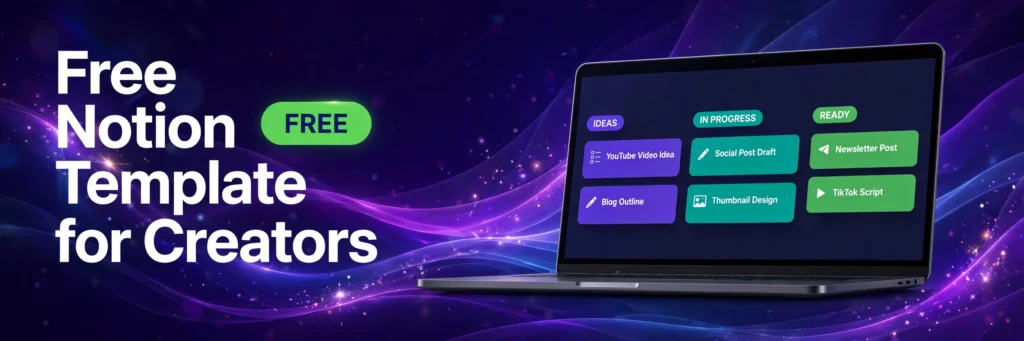
We built our free template to pass that test. The AI Creator Mini OS is a genuinely usable starter system:
- A mini Content Pipeline with the full six stages and example cards, so you learn the workflow on day one
- 10 AI mega-prompts — the best ones from our full vault, with complete texts: brand voice setup, idea generation, hook writing, scripting, captions, repurposing, and more — all working in ChatGPT, Claude, or Gemini
- A Brand Voice starter page to fill in and keep your tone consistent
- A welcome guide that walks you through your first week, step by step
It is free forever — not a trial, not a locked demo. Plenty of creators will happily run on it for months. Duplicate it into your free Notion account and start this week.
Your first 20 minutes with the Mini OS (a walkthrough)
Here is exactly what to do after you duplicate it, so the template does not become another open tab:
Minutes 0–5: Read the welcome guide. It is short — five steps, plain language. It tells you where everything lives: the mini pipeline, the prompt vault, the brand voice page.
Minutes 5–10: Fill in the Brand Voice starter. Do not overthink it. Write how you actually talk, name your audience in one sentence, list three phrases you would never say. Done is better than perfect — you can refine it every month.
Minutes 10–15: Try one prompt. Open the prompt vault and run the hook-writing prompt on an idea you already have. Paste it into ChatGPT, Claude, or Gemini. Watch twenty hooks come back. Pick one. That small jolt of “oh, this is fast” is the whole point.
Minutes 15–20: Add three ideas to the pipeline. Your next three posts, as cards, in the Idea stage, with dates. Congratulations — you now have a content system. A small one, but a real one.
Red flags in “free” templates (how to spot a demo in disguise)
Since you are shopping in the free aisle, here is how to tell the genuine starters from the traps:
- Locked databases you cannot duplicate properly. If half the template breaks when you duplicate it, it was built to impress, not to use.
- “Upgrade to unlock” on basic features. A pipeline with three stages where the other three cost money is not a free template — it is a sales page.
- No example content. A template with zero example rows forces you to learn the system and invent the content simultaneously. Good free templates show you how with filled examples.
- No guidance. If there is no welcome page explaining the workflow, the creator did not think about beginners — which means the template was not really made for you.
The Mini OS was built against this exact checklist: everything duplicates cleanly, nothing essential is locked, example cards show the workflow, and the welcome guide walks you through week one. That is what a free template owes you.
What to do in week two (keeping the momentum)
Week one with any new system feels exciting. Week two is where templates usually die — the novelty fades and old habits creep back. Here is how to survive it:
Run the same 20-minute setup as a review. Open the pipeline: what got published, what stalled, and where did it stall? If three cards are stuck in “Script,” your bottleneck is scripting — which tells you exactly which prompts to lean on harder.
Add five new ideas to the bank. The system only works if the inbox stays fed. Spend ten minutes adding everything you noticed this week — comments worth answering, competitors’ formats worth adapting, questions people asked you.
Refine the brand voice page once. After a week of publishing, you will have noticed phrases you overuse and tones that felt off. Update the page. It is a living document, not a monument.
Resist the urge to rebuild. Week two is when the temptation strikes to add seven new databases and redesign the dashboard. Do not. Use the system as-is for a full month first. You cannot improve a workflow you have not actually run.
If you do these four things, something quiet happens around week three: opening the system stops feeling like “admin” and starts feeling like sitting down at a desk that is already set up. That feeling is the entire product.
How the Mini OS fits with tools you already use
A reasonable question: “I already use Google Docs / my notes app / a scheduler — does this replace them?” The honest answer: it replaces the scattered middle, not everything.
Keep your scheduler — the Mini OS decides what goes out and when, your scheduling tool does the actual posting. Keep your notes app for random capture if you love it — just make the Ideas Bank (or the mini pipeline’s Idea stage) the weekly destination where those notes get sorted every Sunday. Keep your editing app, obviously.
What the Mini OS replaces is the invisible mess in between: the “where was that script?”, the “did I already post this?”, the “what was I supposed to film today?”. One page answers all three. Everything else you already use keeps doing its job — it just stops having to compensate for the missing middle.
When the full version makes sense (honestly)
I will tell you straight: the Mini OS is a starter, and starters have edges. The full AI Creator OS adds the complete Creator HQ dashboard, the scored Ideas Bank, the six-stage pipeline with board and calendar views, all 40 prompts instead of 10, the full Repurpose Engine, the Sponsors & Deals tracker, Weekly Reviews, and a filled 30-day content calendar showing how it all works in practice.
If you outgrow the Mini — if you find yourself wanting the calendar view, the idea scoring, or the other 30 prompts — the full system is there at $59 (launch price; regular $99). No pressure and no countdown tricks: the free version stays free, and the upgrade is there when you decide you want it.
FAQ
Is the Mini OS really free?
Yes — free forever, not a trial. You get the mini pipeline, 10 full AI prompts, and the brand voice starter page with no payment and no expiry. It is our way of letting the system prove itself before you spend anything.
What is the difference between the free and paid versions?
The free Mini OS covers the core workflow: pipeline, 10 prompts, brand voice starter. The full version adds the dashboard, idea scoring, calendar view, all 40 prompts, the repurposing engine, sponsors tracker, weekly reviews, and a filled 30-day calendar. Same system, bigger and more complete.
Do I need a paid Notion account?
No. Both the free and full versions work in a free Notion account. You duplicate the template into your own workspace and it is yours.
Can I upgrade from free to paid later?
Anytime. Your ideas, pipeline cards, and brand voice page from the Mini OS carry straight over — you are just moving into a bigger house, not starting over.
One last thought
The best time to get organised was when you started creating. The second-best time is this week, for free, with a template that actually works. Start with the Mini OS — and if you ever want the full system, you will know exactly why.
One Response