
Description
Undated Tablet Life Planner for Goodnotes, OneNote & reMarkable — Hyperlinked Digital Planner with Monthly, Weekly & Daily Pages, Goal Planner, Habit Trackers & Notes | Portrait + Landscape, No Expiry Date, Start Any Day
What’s Included (your download)
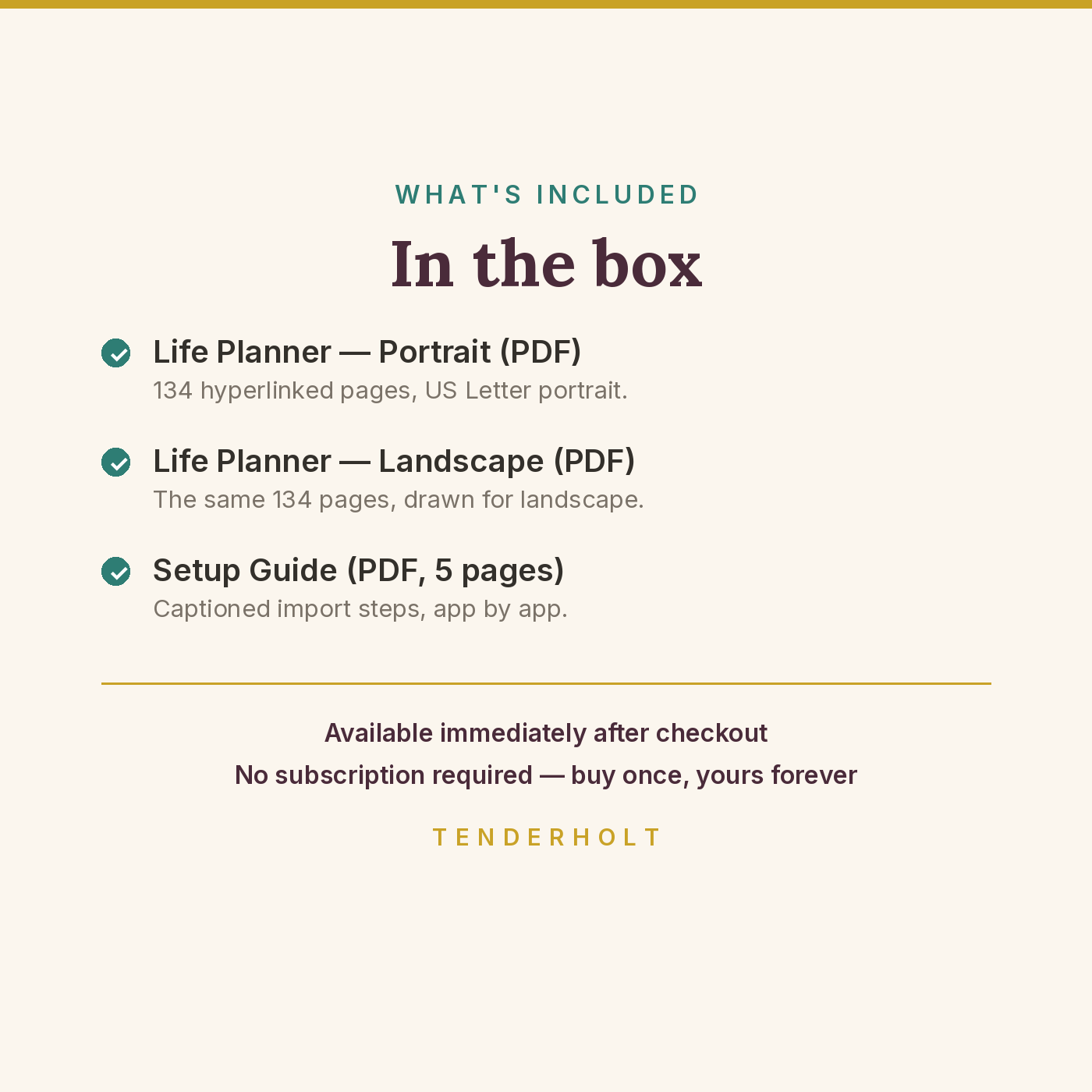
- Undated-Tablet-Life-Planner-Portrait.pdf (134 pp)
- Undated-Tablet-Life-Planner-Landscape.pdf (134 pp)
- Life-Planner-Setup-Guide.pdf (5 pp)
Product Details
Overview
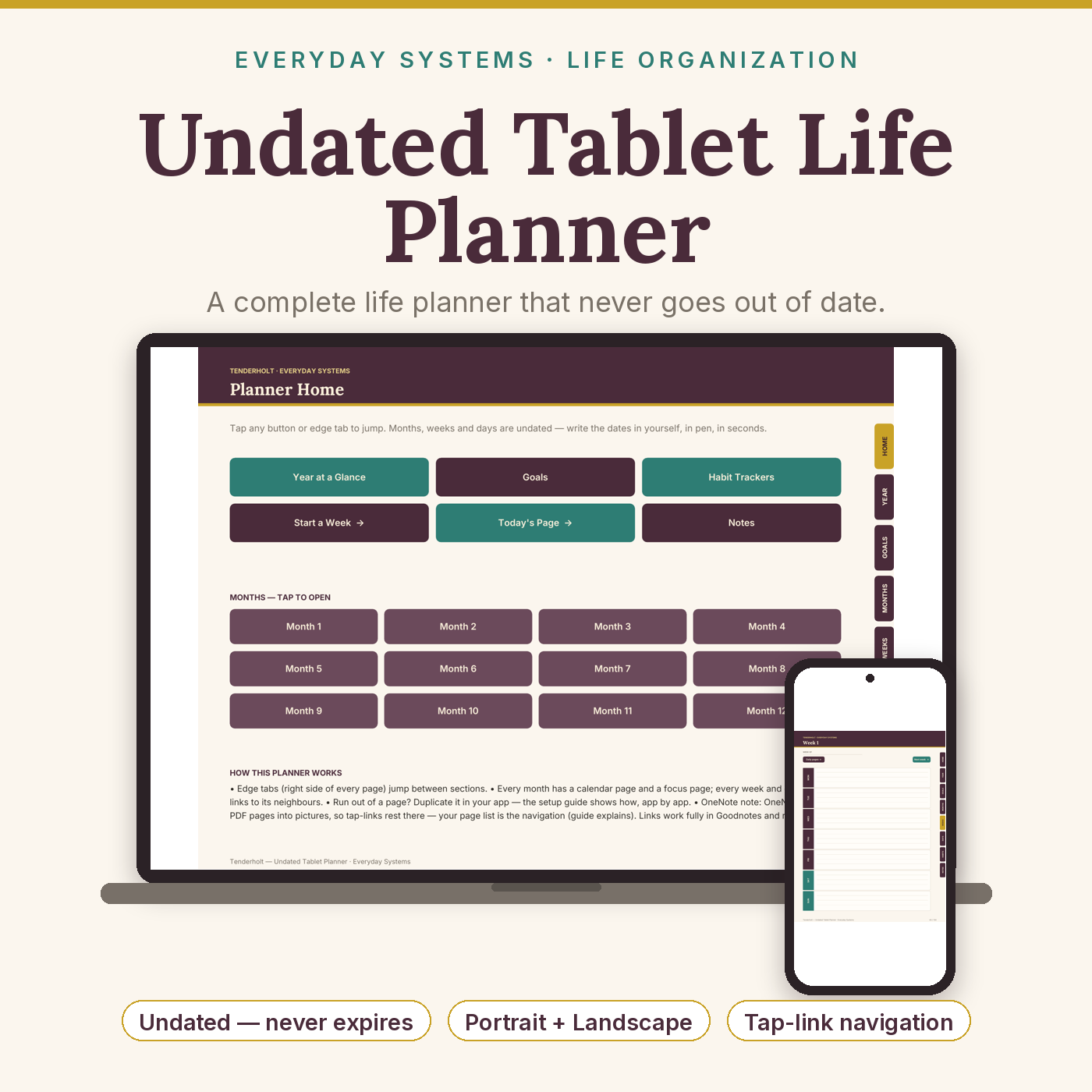
A complete life planner for your tablet that never goes out of date. Rival tablet planners are sold dated (they expire with the calendar year), per app, and per orientation — fifteen near-identical listings to buy again every January. This one is a single undated purchase: 134 hyperlinked pages in both portrait and landscape, working in Goodnotes, OneNote and reMarkable, ready to start any day of any year.
What’s Included
- Undated-Tablet-Life-Planner-Portrait.pdf — 134 pages, US Letter portrait
- Undated-Tablet-Life-Planner-Landscape.pdf — the same 134 pages drawn for landscape
- Life-Planner-Setup-Guide.pdf — 5-page captioned setup guide: import steps for Goodnotes, OneNote (Windows and the Mac path), and reMarkable, plus page-duplication and troubleshooting
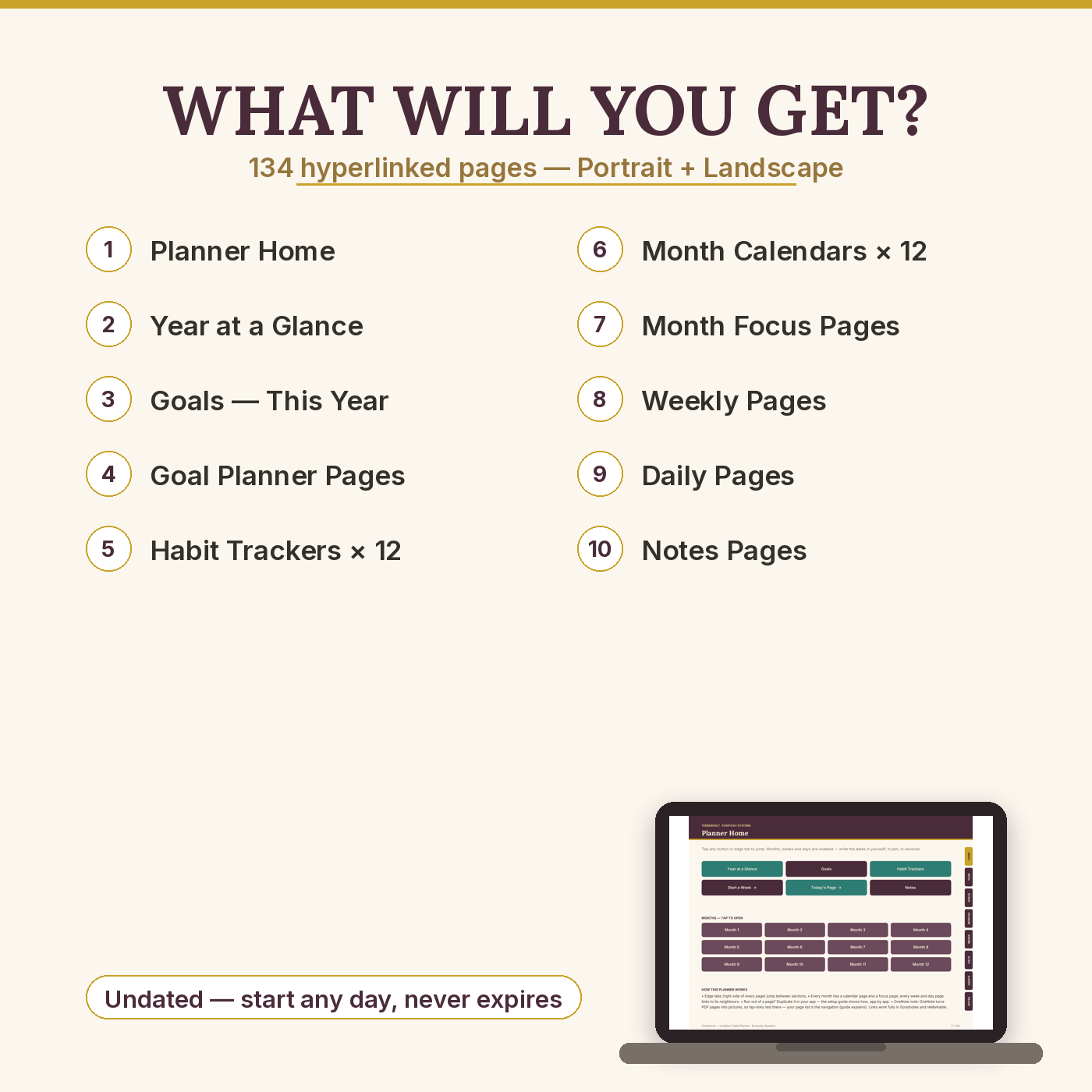
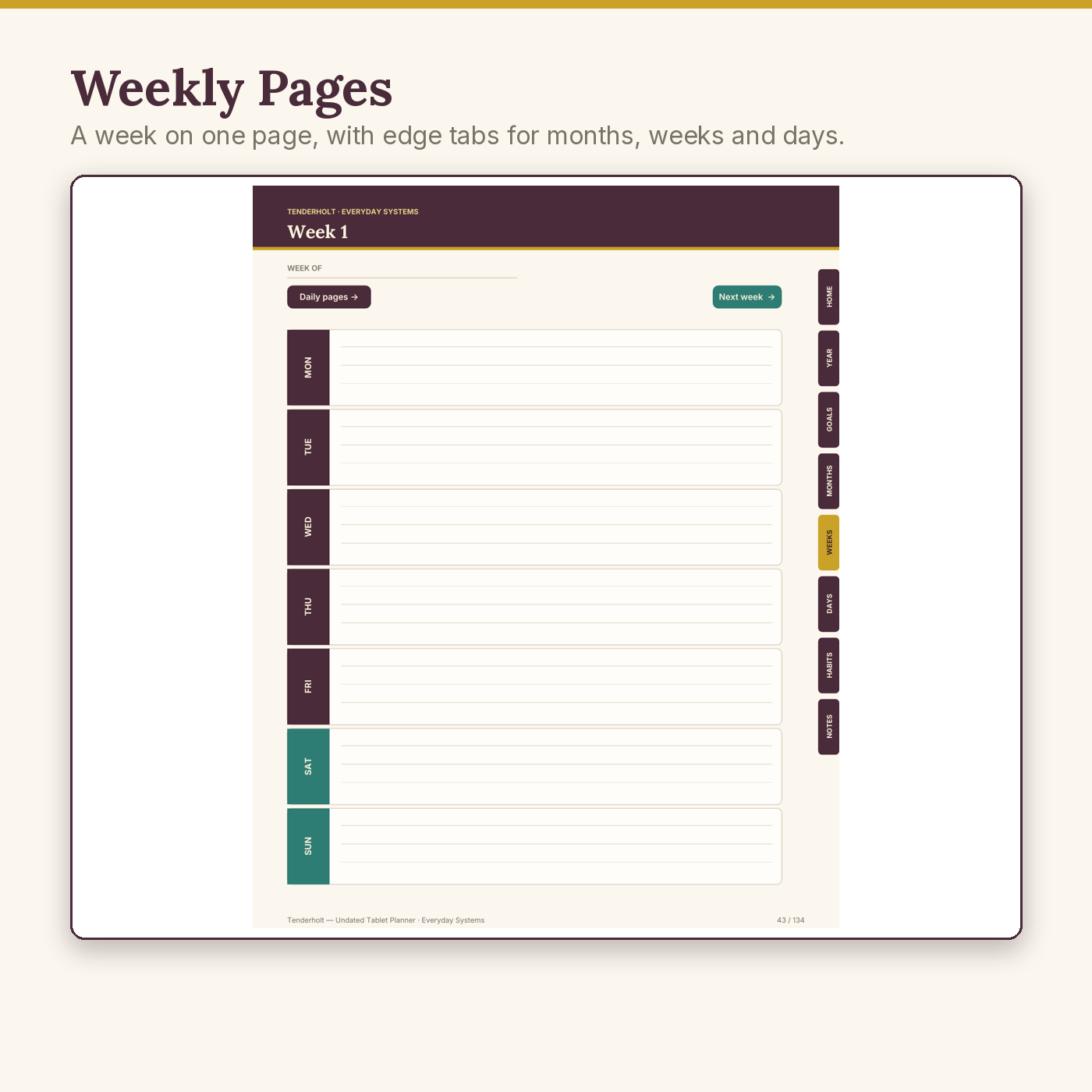
- Page map (each orientation): tappable Home index · Year at a Glance · Goals hub + 2 full Goal Planners · 12 monthly habit trackers · 12 undated month calendars, each with its own focus page (24 pages) · 52 weekly pages · 30 daily pages · 6 lined notes pages · 4 dot-grid pages
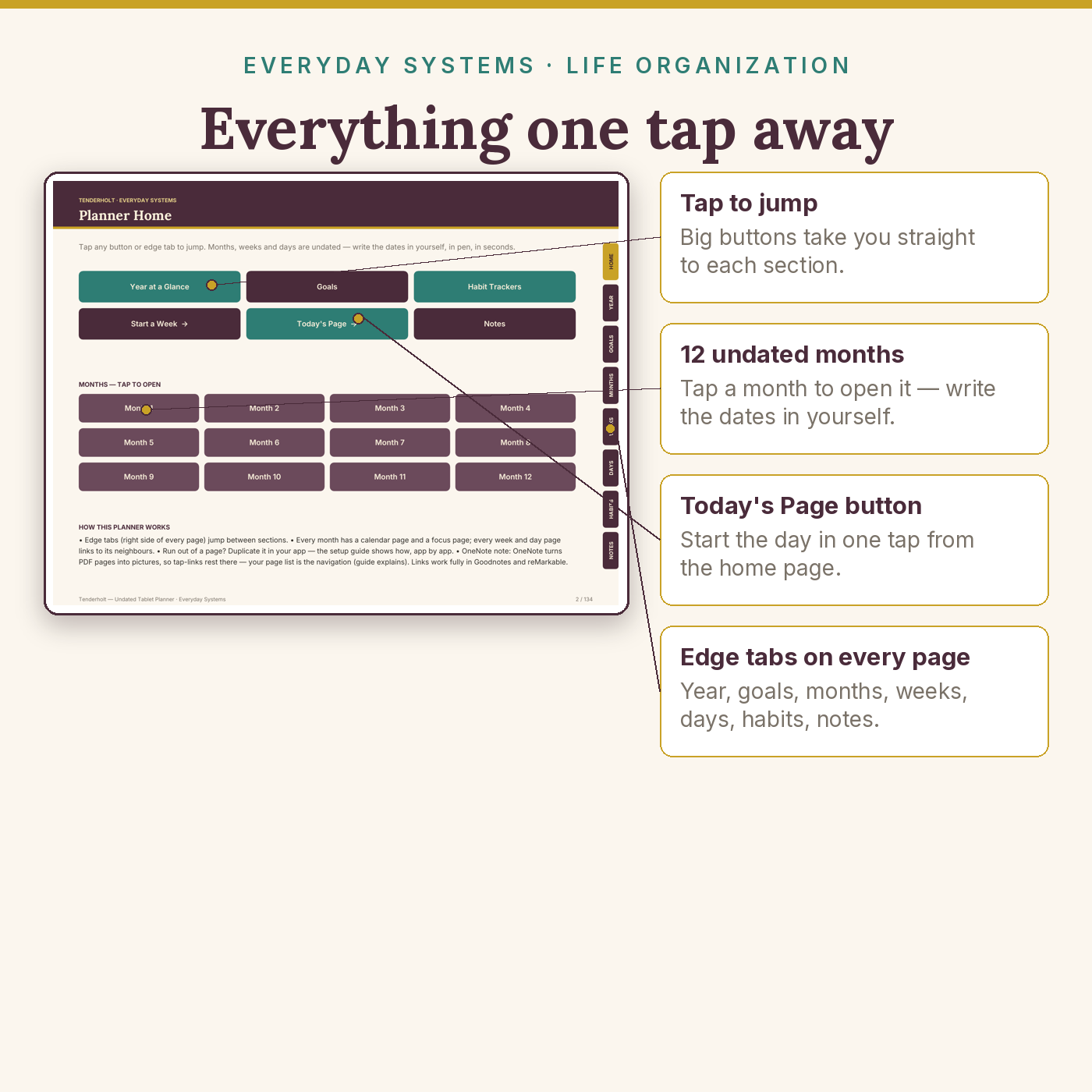
- 1,441 working tap links per file — edge tabs on every page, month grid, prev/next chains — every link machine-tested before release
Key Benefits
- Undated, forever — no printed year anywhere; start in March, skip a month, pick it up next year
- One purchase, three apps, two orientations — no per-platform or per-orientation re-buying
- Everything one tap apart — coloured edge tabs and a button index, tested link by link
- Direct files — the PDFs are the product; no Drive link, no ZIP maze, no middleman
- Duplication-friendly — run short of week or day pages and your app duplicates them in seconds (guide shows how)
Who Is This For?
- Goodnotes, OneNote or reMarkable owners who are tired of dated planners expiring mid-habit
- People who plan in pen — goals, habits, weeks and days in one calm place
- Anyone who has ever paid for the same planner twice in two orientations
How It Works
- Download the three PDFs (they stay in your store account library permanently).
- Follow the 2-minute import for your app in the setup guide.
- Open the Home page, tap a month, write the dates in — the planner is live. Edge tabs and prev/next buttons do the travelling.
Why It’s Different
Dated rivals expire; ours can’t. Platform-split rivals make you choose Goodnotes or OneNote or reMarkable, portrait or landscape, and pay per slice; ours is one honest product containing all of it. And where rival OneNote buyers famously get stuck on a multi-step Mac import, our guide gives the short Mac path up front — and tells you plainly, before you buy, exactly how OneNote handles PDF pages (see Delivery & Compatibility). Finally: every one of the 2,882 links across both files was machine-verified to land on its intended page. We checked; most sellers don’t.
Delivery & Compatibility
Instant download of 3 PDFs (approx. 1 MB each planner file). Goodnotes 5/6 (iPad, iPhone, Mac): full tap-link navigation. reMarkable (1, 2 & Paper): full tap-link navigation; pages designed to read clearly in greyscale e-ink. OneNote (Windows & Mac): OneNote converts inserted PDF pages into pictures — that is how OneNote works with every PDF from every seller — so the pages arrive in order to write on, and navigation is via OneNote’s page list; the setup guide covers the Windows printout setting and the Mac drag-in path step by step. Pages are US Letter and print cleanly if you ever want one on paper.
Disclaimer
This is a planning and organisation tool. It is not a substitute for professional advice of any kind. App names (Goodnotes, OneNote, reMarkable) are trademarks of their owners; this product is not affiliated with or endorsed by them. Because OneNote renders PDF pages as images, tap-link navigation is not available inside OneNote — this is stated here and in the setup guide so you can choose with full information.
Reviews
There are no reviews yet.